
















How to Track a Phone Number or a Phone Call

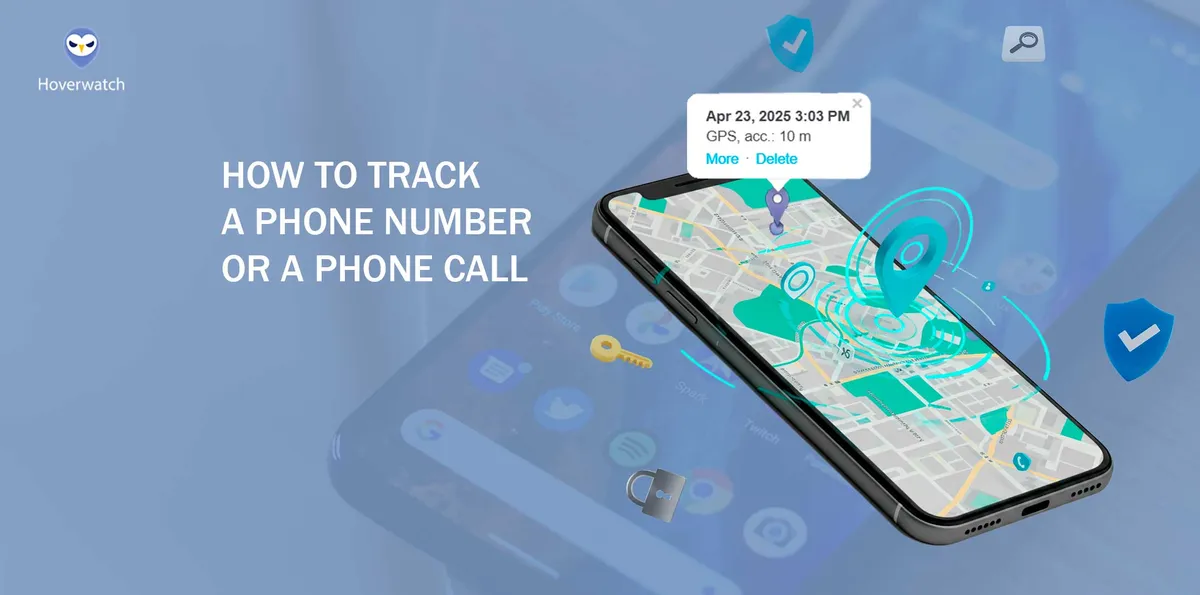
Losing a phone, receiving suspicious calls, or needing to locate a loved one in an emergency—these are situations many face in today’s digital world. Now you can track a phone number using modern technologies like GPS and AI to locate devices and identify unknown callers.
But how do these methods work, and what are the privacy risks? This article breaks down the latest tracking techniques, expert tools, and ethical considerations to help you navigate the evolving landscape of phone tracking.
Why Tracking Phone Numbers is More Relevant Than Ever in this year
Phone tracking has evolved from a niche security measure to an essential tool in the digital age.
According to industry reports, phone theft has increased by 24% globally in the past year, with major cities reporting spikes in stolen smartphones being resold on the black market.
However, with these benefits come privacy and legal concerns, making it crucial to understand responsible tracking methods. As technology advances, new AI-driven tracking solutions offer unprecedented accuracy, leading us into the next discussion: how exactly do modern phone tracking systems work?
How Phone Tracking Technology Works: From GPS to AI
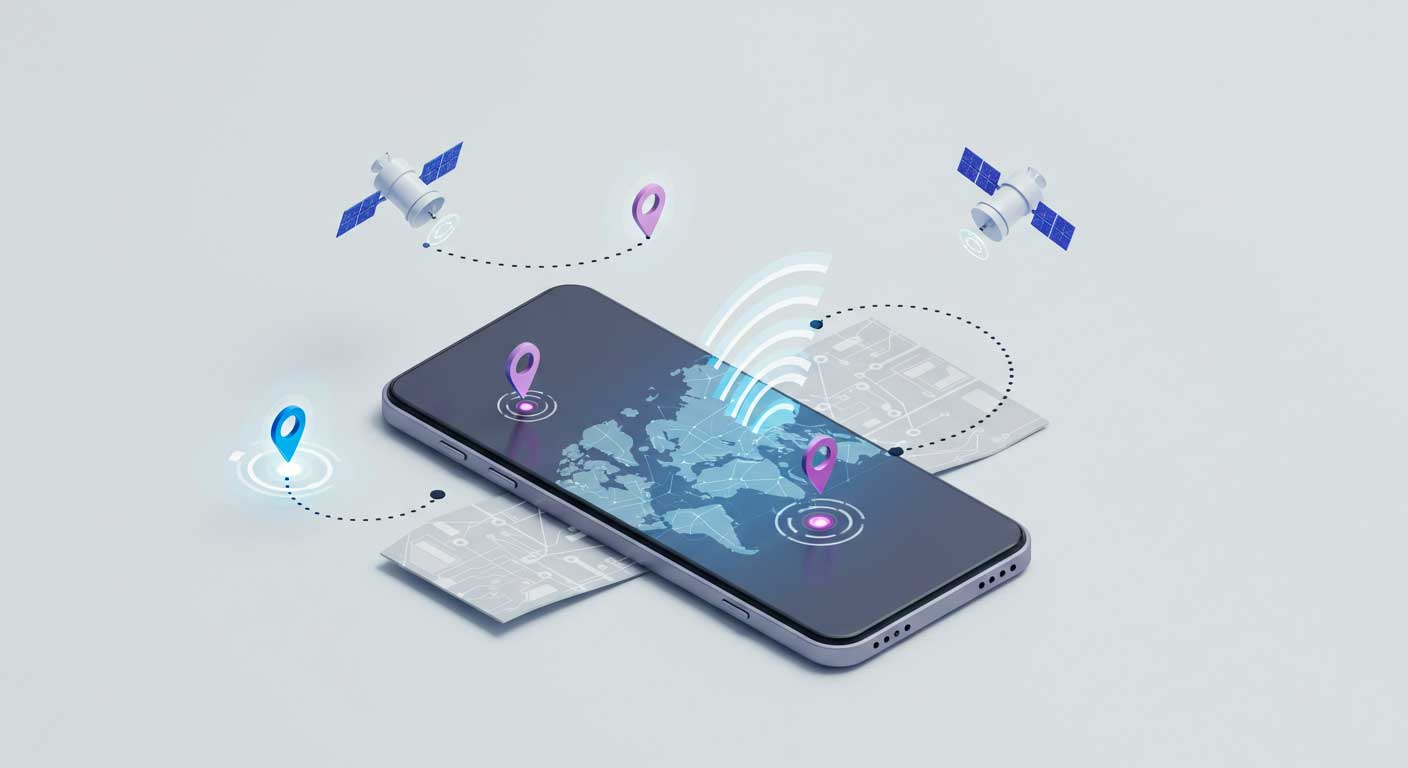
Phone tracking relies on multiple technologies, each with varying levels of accuracy. GPS tracking, the most precise method, uses satellite signals to pinpoint a device’s location within a few meters, making it ideal for navigation and emergency services.
Comparison of Phone Tracking Methods
| Tracking Method | Accuracy | Best Use Cases |
|---|---|---|
| GPS | 1-5 meters | Navigation, Emergency services |
| Wi-Fi Triangulation | 5-50 meters | Indoor tracking, Urban environments |
| Cell Tower Tracking | 50-500 meters | Broad location tracking, Rural areas |
| AI-Based Tracking | Varies based on behavior analysis | Predictive tracking, Behavioral insights |
However, GPS requires a clear signal, meaning it struggles indoors or in dense urban areas.
Wi-Fi triangulation offers an alternative by measuring the signal strength of nearby Wi-Fi networks.
These innovations are shaping the future of tracking, making it more reliable and privacy-conscious. With these methods in mind, the next section explores the best phone tracking apps currently available, comparing their features and effectiveness.
Top 5 Phone Tracking Apps in this year: Features and Comparisons
Phone tracking apps vary in features, accuracy, and intended use, making it essential to choose the right tool.
Below is a comparison of the top five tracking apps available this year, evaluating their capabilities for parental control, business security, and personal tracking.
Comparison of Top Phone Tracking Apps
| App Name | Features | Platform | Pricing |
|---|---|---|---|
| Hoverwatch | Call logs, SMS tracking, GPS, Social Media monitoring | Android, Windows, macOS | $24.95/month |
| mSpy | Live GPS tracking, Call logs, Keylogging | Android, iOS | $48.99/month |
| FlexiSPY | Call interception, Camera access, Remote control | Android, iOS | $68/month |
| Spyic | Cloud-based, No jailbreak required, Location tracking | Android, iOS | $39.99/month |
| Family Locator by Life360 | Real-time location sharing, Geofencing | Android, iOS | Free (Premium: $14.99/month) |
Paid versions generally offer stealth mode and deeper access to phone data, while free apps like Life360 focus on ethical tracking.
-
 Hoverwatch Pricing: Starts at $24. 95/month.
A stealth-mode tracker designed for Android, Windows, and macOS, Hoverwatch records calls, SMS, GPS locations, and social media activity. Best for parental control and employee monitoring.
-
 mSpy Pricing: Starts at $48. 99/month.
Popular among parents, mSpy offers real-time location tracking, geofencing alerts, and call/SMS monitoring. Works on both Android and iOS.
-
 FlexiSPY Pricing: Starts at $68/month.
One of the most advanced tracking tools, capable of call interception and remote camera access. Best for businesses needing full surveillance.
-
 Spyic Pricing: Starts at $39.99/month.
A cloud-based app requiring no jailbreaking or rooting, making it a user-friendly option for tracking phones discreetly.
Hoverwatch stands out for its extensive tracking features, making it a versatile option for different needs.
The next section provides an in-depth look at Hoverwatch’s key functionalities, strengths, and drawbacks.
Hoverwatch: Features, Pros, and Cons
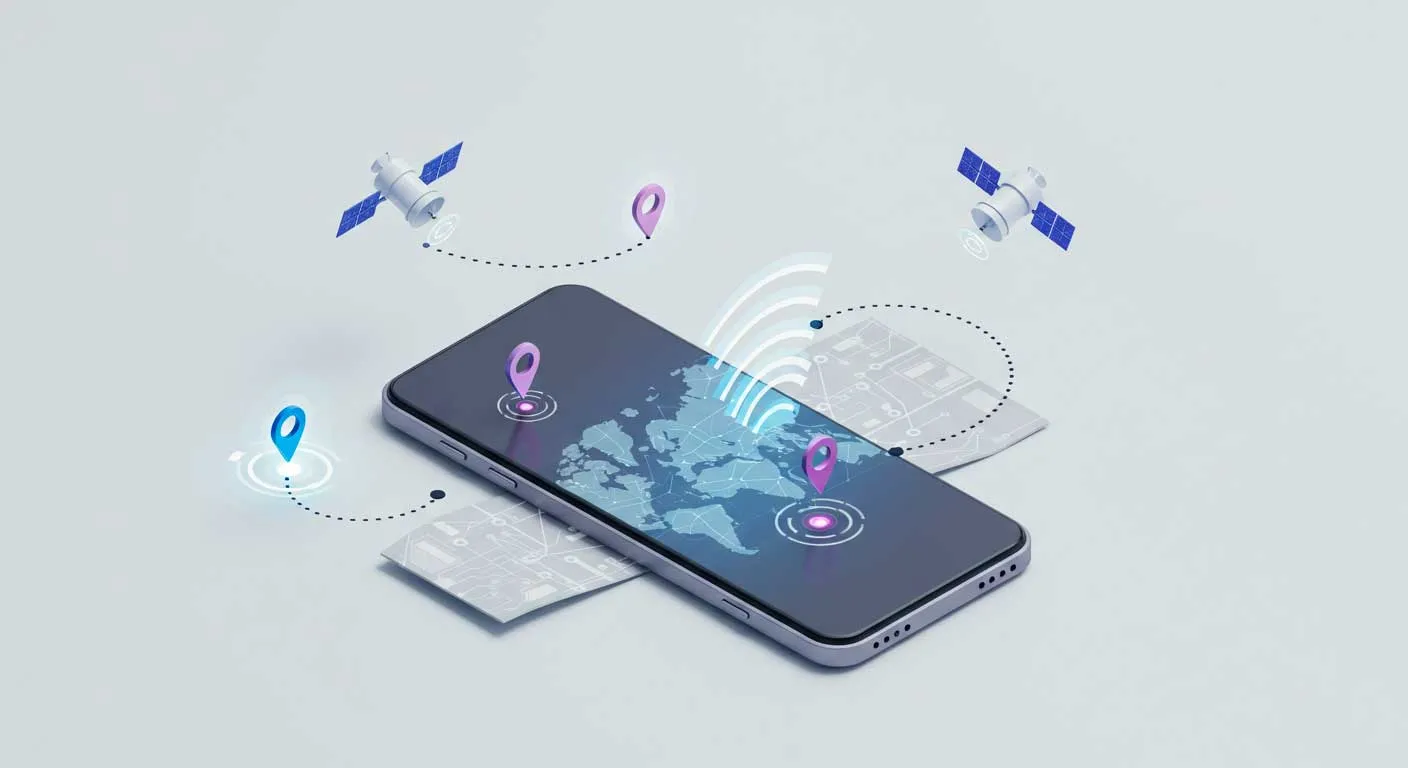
Hoverwatch is a stealth tracking app designed for Android, Windows, and macOS, allowing users to monitor calls, SMS, GPS location, and social media activity without detection.
It records incoming and outgoing calls, captures screenshots, and even tracks browsing history.
- Pros: Affordable pricing, invisible mode, and detailed activity logs make it a powerful tool for parents and businesses. It supports multiple devices under one account.
- Cons: Only available for Android and desktops, lacks iOS support. Legal restrictions apply depending on the jurisdiction.
Step-by-Step Guide Using Hoverwatch to Tracking a Phone Number
Hoverwatch is a powerful tracking tool, but proper setup is crucial for effective use. Follow this step-by-step guide to install and use Hoverwatch for tracking a phone number.
-
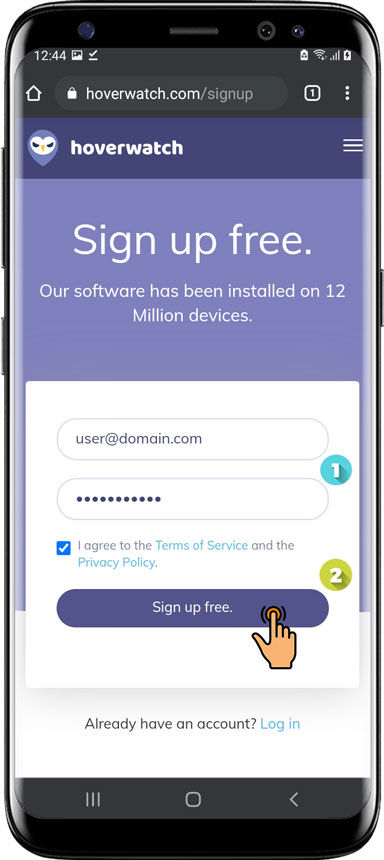
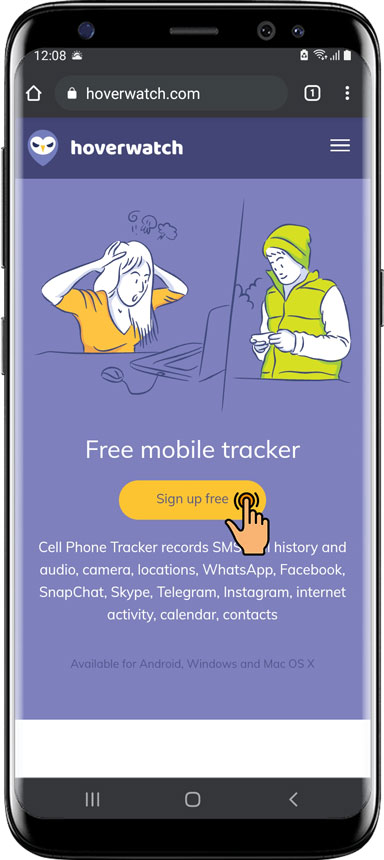 Create a Hoverwatch Account Step 1
Visit the Hoverwatch website and sign up using a valid email address. Choose a subscription plan based on your tracking needs—options range from a single device plan to a family or business package supporting multiple devices.
-
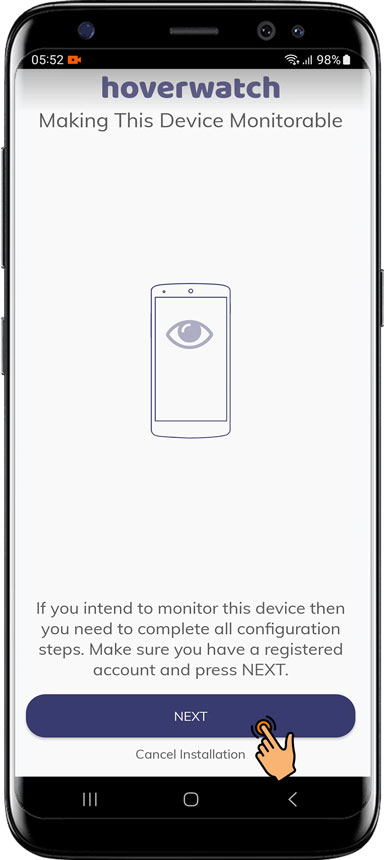
 Install Hoverwatch on the Target Device Step 2
After logging in, download the Hoverwatch app directly onto the Android device you want to track. Since Google Play does not allow such apps, you’ll need to enable "Unknown Sources" in the device’s settings. Once installed, grant necessary permissions, including access to GPS, call logs, and messages.
-
 Enable Stealth Mode (Optional) Step 3
Hoverwatch runs discreetly, and users can enable stealth mode during installation to hide the app icon. This feature is useful for parental monitoring or business security but should be used ethically and legally.
-
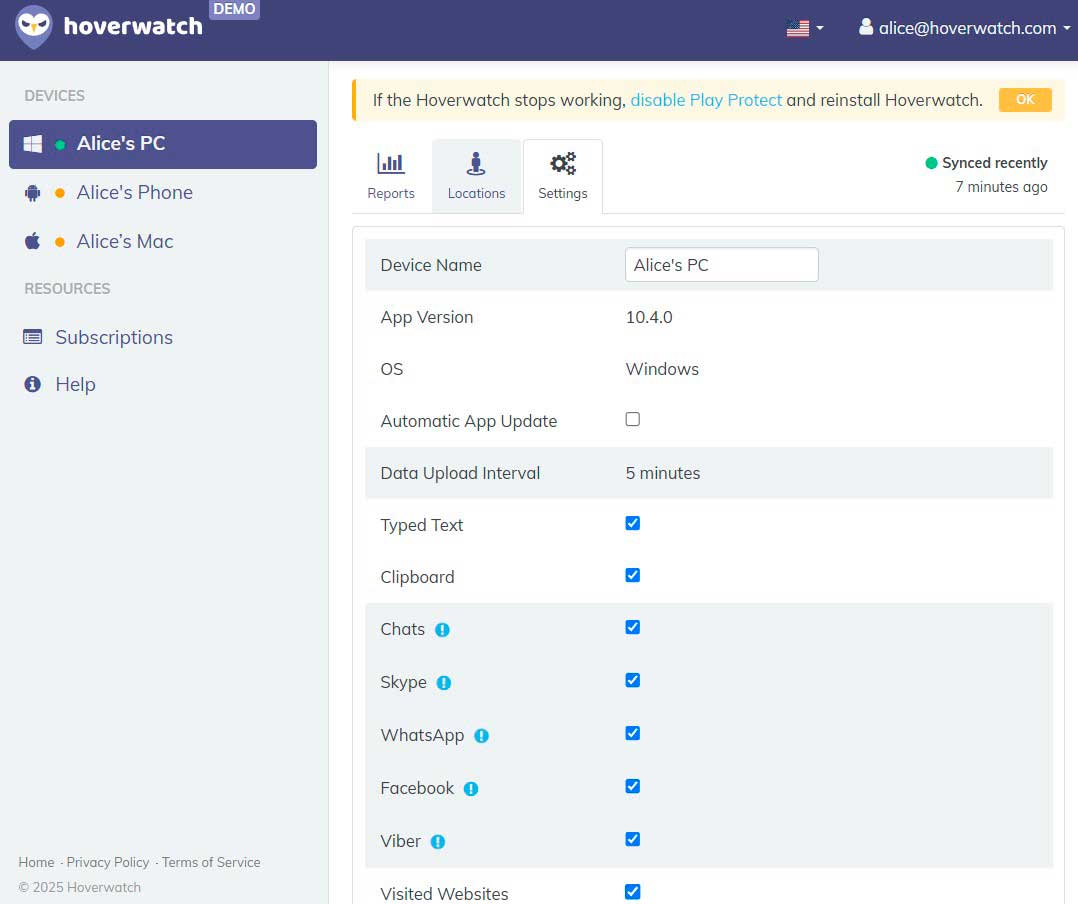 Start Tracking from Your Dashboard Step 4
Log into the Hoverwatch online dashboard from any device to view real-time GPS location, call logs, SMS messages, and social media activity. The dashboard provides a map interface for tracking movement history and timestamps for calls and messages.
-
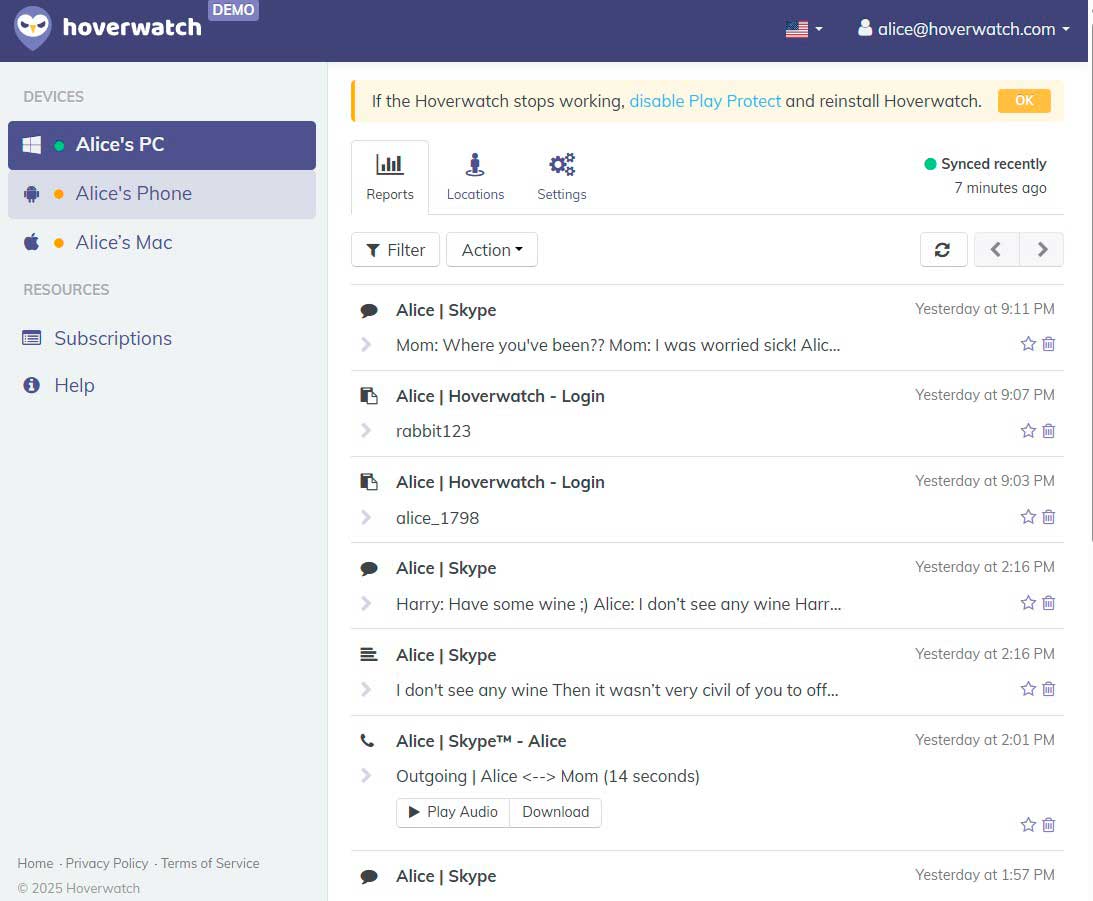 Set Up Alerts and Reports Step 5
Customize tracking preferences, including geofencing alerts (notifications when the device enters or leaves specific locations) and scheduled reports summarizing phone activity.
-
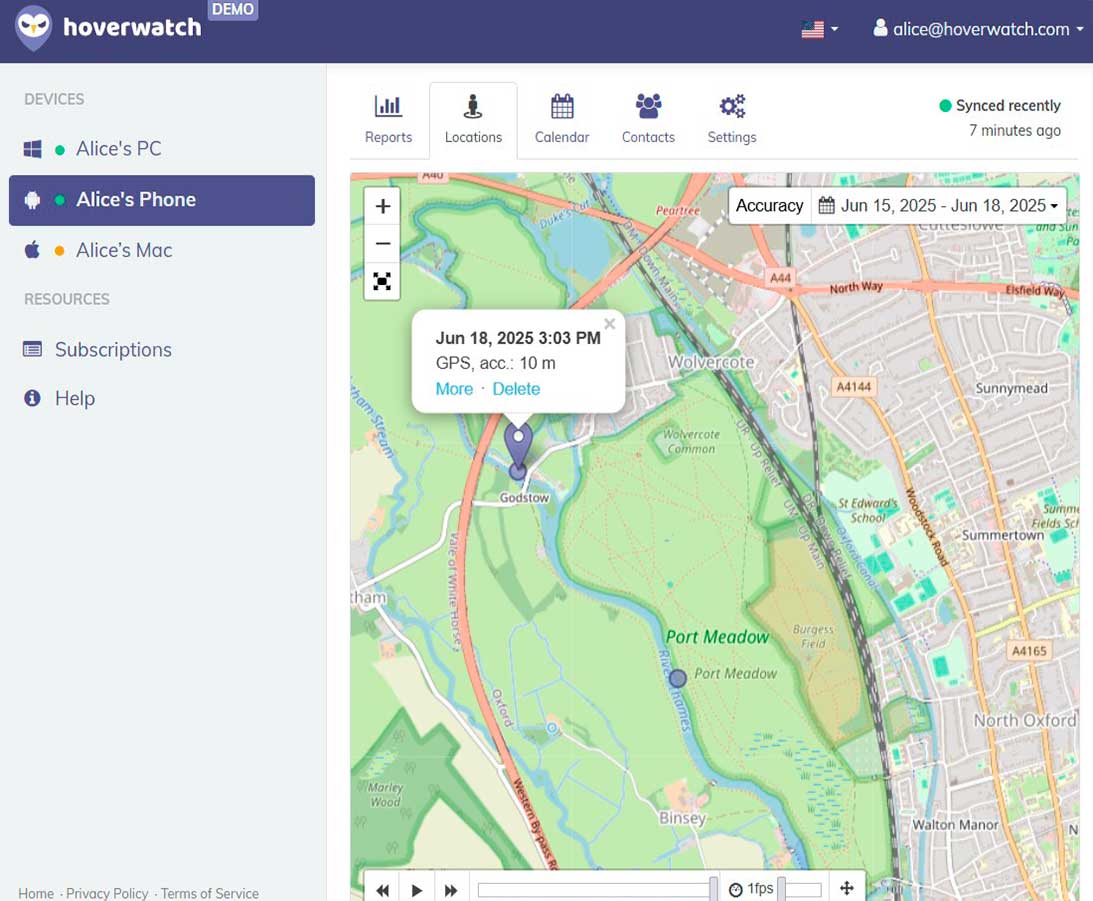 Maintain Legal Compliance Step 6
Ensure that Hoverwatch is used in compliance with local laws, as unauthorized tracking can lead to legal consequences. Always obtain consent when required.
With Hoverwatch fully operational, the next section explores how tracking capabilities differ between Android and iOS, starting with new Android tracking features.
Tracking Android Devices: New Features and Tips for next year
Android tracking is evolving, with Google’s enhanced Find My Device network expected to introduce offline tracking, allowing users to locate phones even when they’re powered off or disconnected from the internet. This feature mirrors Apple’s Find My Network, making it harder for thieves to disable tracking.
New Android Tracking Features:
| Feature | Functionality | Benefit |
|---|---|---|
| Find My Device Offline Mode | Locates phones even when turned off | Prevents tracking circumvention by thieves |
| Background Location Permissions | Stricter app tracking requirements | Enhanced privacy control |
| AI-Based Motion Alerts | Detects abnormal device movement | Warns against theft attempts |
Expert Tips for Android Tracking:
Enable multiple tracking layers – Use Google Find My Device, a third-party tracker like Hoverwatch, and mobile carrier services for backup.
Optimize battery usage – Location tracking drains power; reducing update frequency or using Wi-Fi-based tracking conserves energy. Secure your device – Set up a screen lock and biometric authentication to prevent unauthorized access to tracking settings.
With Android tracking becoming more sophisticated, the next section explores iPhone tracking updates, including new Find My iPhone features and evolving privacy concerns.
Tracking iPhones: Updates to Find My iPhone and Privacy Concerns
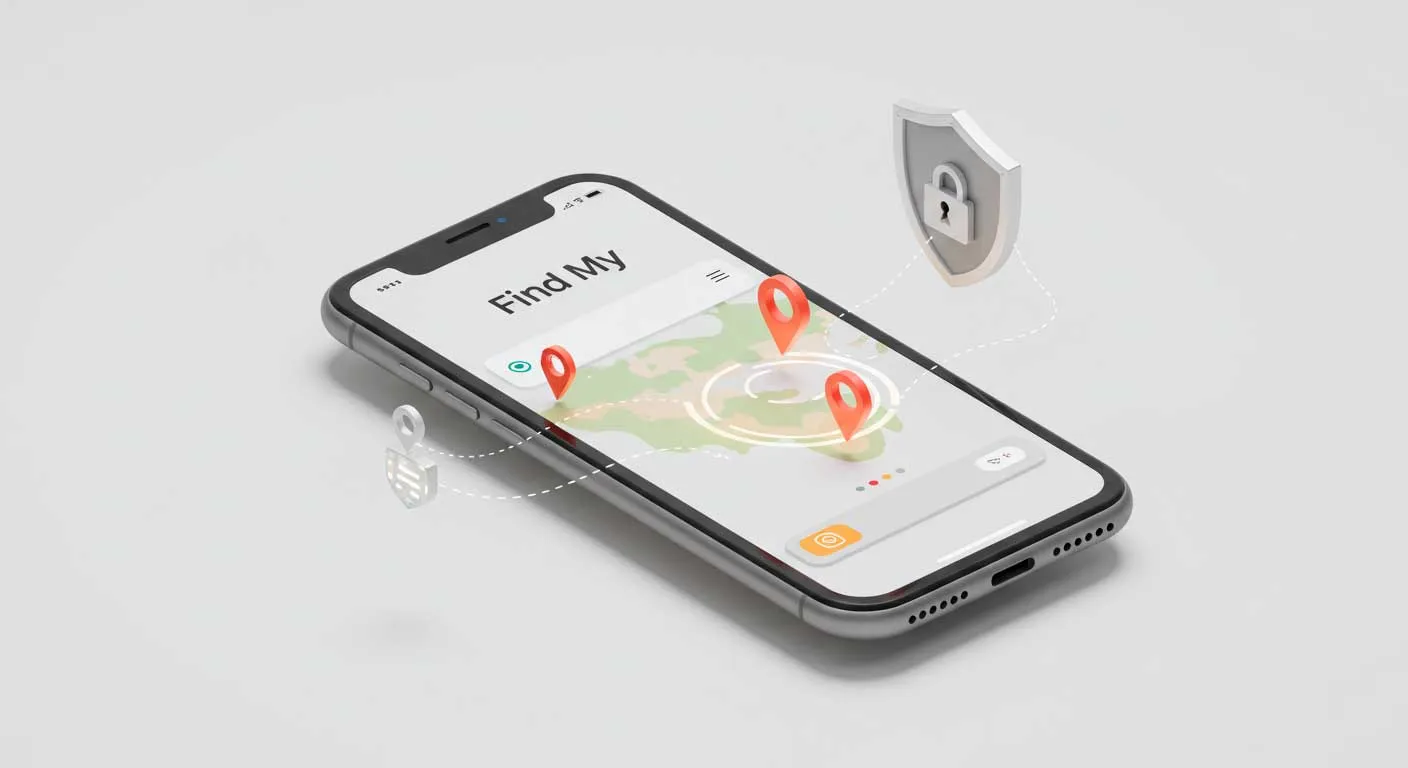
Apple’s Find My iPhone has undergone significant improvements, making iPhone tracking more powerful than ever. The Find My network now supports offline tracking, allowing users to locate lost devices even when they are powered off or have no internet connection.
This feature works by leveraging Bluetooth signals from nearby Apple devices, creating a decentralized tracking network similar to a crowdsourced GPS.
Additionally, Apple has introduced Separation Alerts, which notify users if they leave their iPhone or other Apple devices behind.
New iPhone Tracking Updates:
| Feature | Functionality | Privacy Consideration |
|---|---|---|
| Find My Network Offline Tracking | Locates devices even when powered off | Risk of unauthorized tracking |
| Separation Alerts | Notifies user when they leave a device behind | Helps prevent loss or theft |
| AirTag Anti-Stalking Measures | Alerts users if an unknown AirTag follows them | Improves personal security |
While these enhancements improve security, they also raise privacy concerns. Apple has strengthened location data encryption, ensuring that even Apple cannot access precise user locations.
With Apple refining its security ecosystem, the next section explores reverse phone lookup services, offering alternative ways to trace phone numbers and unknown callers.
Reverse Phone Lookup Services: What’s New and How to Use Them
Reverse phone lookup services have become an essential tool for identifying unknown callers, preventing scams, and verifying business contacts. These services work by cross-referencing phone numbers with public records, social media profiles, and private databases.
Comparison of Free and Paid Reverse Phone Lookup Services:
| Service | Free/Paid | Features |
|---|---|---|
| TrueCaller | Free | Caller ID, Spam call filtering |
| Whoscall | Free | Caller identification, Fraud detection |
| BeenVerified | Paid | Phone lookup, Address history, Background checks |
| Spokeo | Paid | Social media search, Criminal records, Contact details |
Free lookup options, such as TrueCaller and Whoscall, offer basic caller identification but often rely on user-reported data, making accuracy inconsistent. Paid services, like BeenVerified, Spokeo, and Intelius, provide more comprehensive information, including address history, criminal records, and email associations.
Recent improvements have increased data accuracy and search speed, with AI-powered algorithms enhancing number-matching capabilities.
While reverse lookup services provide valuable insights, the next section explores how social media itself can be leveraged for tracking phone numbers more effectively.
Using Social Media to Track Phone Numbers: Facebook, WhatsApp, and More
Social media platforms provide an unexpected but effective way to track phone numbers. Facebook allows users to search for profiles linked to a phone number, provided the person hasn’t restricted this setting.
In real-world cases, missing persons have been located through social media posts and geotags, proving its power when used responsibly.
With digital tracking so accessible, the next section explores how to protect personal privacy and prevent being tracked.
Protecting Your Privacy: How to Avoid Being Tracked
With tracking technology becoming more sophisticated, protecting your privacy requires proactive measures. The first step is to disable location services for apps that don’t need them.
Common Tracking Risks and Protection Methods:
| Tracking Risk | How It Works | Protection Method |
|---|---|---|
| GPS Tracking | Location data collected from apps and services | Disable GPS, Use location spoofing |
| Wi-Fi Tracking | Device location identified through Wi-Fi networks | Disable auto-connect, Use VPN |
| SIM Swapping | Hackers clone your SIM to access accounts | Use eSIM, Enable two-factor authentication |
| Spyware | Malware installed to monitor activities | Install anti-spyware apps, Factory reset phone |
Both Android and iOS allow users to restrict location access or set it to “While Using the App” to minimize unnecessary tracking.
Using a VPN (Virtual Private Network) helps conceal your online activity, making it harder for third parties to track your device’s IP address.
Additionally, regularly reviewing and managing app permissions prevents apps from collecting excessive data—many apps request location access unnecessarily.
Emerging threats such as SIM swapping—where attackers clone your SIM card to gain control of your phone number—are on the rise.
Looking ahead, advancements in AI and blockchain may reshape tracking methods, raising new questions about privacy and security in the digital world.
The Future of Phone Tracking: AI, Blockchain, and Beyond
Phone tracking is on the verge of a technological revolution, with AI-driven predictive tracking set to redefine location services. By analyzing movement patterns, AI can predict a user’s next location, improving everything from emergency response times to parental monitoring.
However, this raises concerns about privacy and potential misuse. Meanwhile, blockchain-based tracking solutions offer a more secure and decentralized approach.
These innovations will force a delicate balance between security and privacy, shaping the future of phone tracking. Next, the conclusion will summarize key insights from this evolving landscape.
Conclusion
Phone tracking has evolved from simple GPS tools to advanced AI-driven and blockchain-based solutions, offering both security benefits and privacy challenges. From tracking lost devices to identifying unknown callers, various apps and methods provide effective solutions.
However, with growing concerns over surveillance and data protection, balancing security and privacy is crucial. As technology advances, staying informed about legal and ethical considerations will be key to responsible phone tracking.
Frequently Asked Questions
-
Legally, tracking someone’s phone without their consent is prohibited in most countries. However, parents monitoring their children or businesses tracking company devices may have legal allowances. Always check local laws before using tracking tools.
-
GPS tracking can pinpoint a phone within a few meters, while Wi-Fi triangulation and cell tower tracking are less precise, with potential errors of 50–500 meters depending on location density.
-
Yes, services like Google’s Find My Device and Apple’s Find My iPhone are free. Social media searches and reverse lookup sites also provide limited free tracking options, but full access usually requires payment.
-
Some tracking systems, like Apple’s Find My Network, use Bluetooth to locate powered-off devices. However, traditional GPS and Wi-Fi tracking do not work when a phone is completely turned off.
-
Unusual battery drain, overheating, unexpected background data usage, and strange pop-ups or apps may indicate spyware or unauthorized tracking software on your device.
You May Also Like
 How-To & Guides
 How-To & Guides
 How-To & Guides
 How-To & Guides
 How-To & Guides
 How-To & Guides
Watch Out
No app or service tracks a phone from the number alone. If a site promises that, it is selling you a reverse lookup, not live location.
In Plain English
GPS itself needs zero internet or cell data, the satellites do the math. You only need a connection to send that location somewhere you can see it.
Pro Tip
When you compare these apps, check the refund window, not just the price. A 3-day trial tells you far more than a feature checklist ever will.
Good to Know
You need one-time physical access to the target Android to install, plus its unlock code. There is no remote install by text or email, despite the ads.
Reality Check
A fully powered-off phone cannot be pinged live. Find My Device shows its last known spot and relays via nearby phones only while it has a flicker of battery.
Heads Up
Apple's own anti-stalking alerts mean an AirTag you slip onto someone will warn them within hours on their iPhone. It was never built for quiet tracking.
Why No Name
Free lookups lean on user-reported data, so a number often returns a city and carrier but no real name. That blank is normal, not a bug on your end.
Common Trap
Saving a number reveals a WhatsApp photo and name, never a location. Live location only shows if that person taps share inside a chat with you.
Quick Check
Hidden monitoring apps still appear under Settings, Apps, plus Accessibility and Device admin. A generic name like Device Health is the usual giveaway.