


The screenshot recorder requires a computer running Windows Vista, 7, 8, 8.1 or 10.
You can adjust how often screenshots are taken — from one per minute to less frequent intervals.
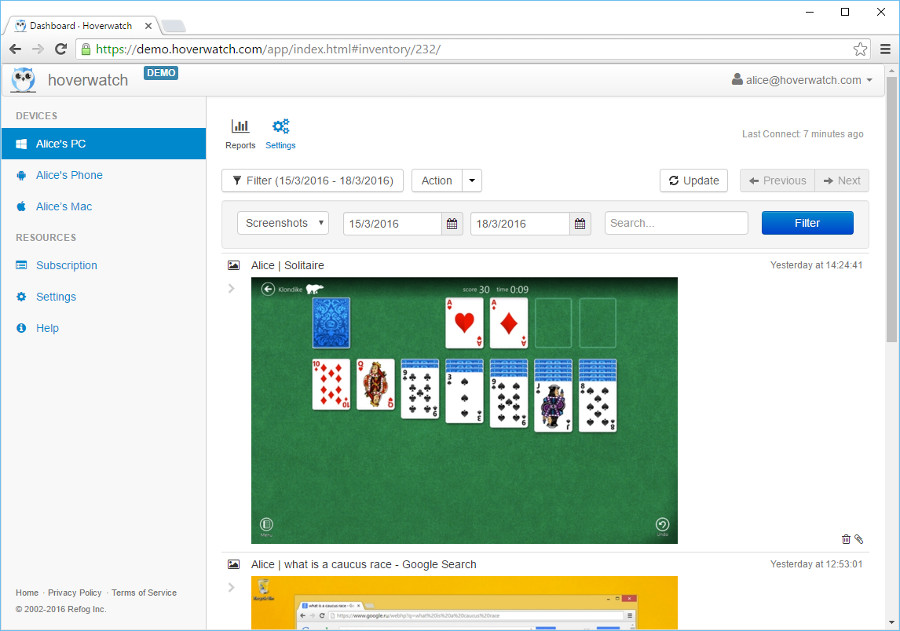 screenshot recorder
The images are saved in JPG format at 60% quality from the original without reducing the size of the image. The screenshot recorder feature lets you save storage space with minimal loss of image quality.
If there are several monitors connected to the monitored computer, then the software takes the screenshots of all monitors and saves them in one image.
All the monitored computer screenshots can be accessed online in the user panel of this screenshot recorder if you use any device with Internet connection.
The screenshot feature of this software is enabled by default, which means you don’t have to change or adjust any settings.
Why is this feature useful to you?
Viewing the screen of any computer or phone can reveal a lot of information about the activity on this device. A lot of people tend to save the apps, files, and images that are used and opened most often on their screens for convenient access.
In such a way, the screenshot recorder function helps create a full picture of how the device user spends time when using the monitored device. What is great about this feature is that you can choose how often you want the screenshots to be taken depending on your needs.

