
















Remote Employee Monitoring Software: Features, Limits, and Best Practices

Remote employee monitoring software is useful only when it answers a specific work question. It can show activity, time, app or website use, screenshots, and reports, but none of these signals proves productivity on its own. Start with the least intrusive signal collected during disclosed work hours.
This guide covers the remote-specific limits that affect a buying decision: offline sync, shared and personal devices, work-hour boundaries, notice, access, retention, and pilot cost. You will leave with a shortlist test, not a bigger dashboard.
What Does Remote Employee Monitoring Software Actually Track?

The phrase sounds precise, but monitoring software can describe very different products. One tool may focus on time and attendance. Another may report application and website activity.
A third may capture screenshots or record more detailed events. Those features should not be treated as interchangeable evidence.
The first useful distinction is between operational records and captured content.
 Operational records
Time, application, and website records can show that a device or workflow was active during a period. They cannot explain why a gap happened or whether the result was valuable.
 Captured events
Screenshots and detailed input can show one moment with greater granularity. They still cannot establish context, judgment, collaboration, or a finished outcome.
Start by naming the signal, then name the question it is supposed to answer. A scheduled-device question may need only a time or activity report, while a security incident may require a short, documented investigation rather than continuous observation.
| Signal category | What it may show | What it cannot establish alone |
|---|---|---|
| Time and activity records | Work sessions, gaps, or device activity | Why the gap happened or whether the result was valuable |
| Application and website activity | Tools used during a workflow | Why a page was opened or whether the work was high quality |
| Screenshots | What appeared on a screen at one moment | Context, intent, or the value of the completed work |
| Keystrokes or detailed events | Highly granular device input | Judgment, collaboration, or a finished outcome |
| Reports and alerts | A summary of collected records | Independent proof of performance |
Verify what is collected, when collection starts and stops, how data is grouped, who can view it, and whether administrators can delete or export it. Current vendor documentation should settle product-specific questions before a tool enters a shortlist.
Which Signals Are Useful, and Which Create False Confidence?

Remote work makes weak signals look more authoritative than they are. A green status dot can mean that a device is active. It cannot tell you whether the person is solving a difficult problem, waiting for a client response, or working away from the keyboard.
Two checks keep a dashboard from turning observation into a performance claim.
 What was observed
A screenshot can show what appeared on a screen at one moment, while an activity state can show that a device was active. Either may answer a narrow operational question.
 What remains unknown
Neither signal establishes decision quality, task importance, work away from the keyboard, or the reason an application changed. Keystroke counts are narrower still: they measure input, not contribution.
This is where many monitoring programs go wrong. A business starts with a question about a delayed result, installs a tool that produces activity data, and then treats the activity data as the result. The dashboard may be accurate while the conclusion is still weak.
Evidence rule: ask what question a signal answers, what context it leaves out, and what decision an authorized person is allowed to make from it.
The best remote employee monitoring software is not necessarily the most detailed. A narrower signal can be more useful because employees understand it, managers can interpret it, and the business can explain why it exists.
How Should Monitoring Work Across Remote and Hybrid Teams?
Remote teams do not share one physical environment, network, or schedule. A monitoring setup needs clear boundaries for work hours, time zones, connectivity, device ownership, and support. Without those boundaries, a report can turn an ordinary technical gap into a misleading judgment about a person.

Intermittent connectivity deserves a specific test. Ask whether an agent stores events locally, whether delayed data is labeled as delayed, and how gaps appear after a device reconnects. A report that merges an offline period with an idle period can create a false picture of the work session.
Shared devices create another complication. If more than one person uses a company-owned computer, confirm how accounts are separated and how the software identifies the relevant user. A device-level record may be reliable while the user-level conclusion is not.
Together, these tests show whether the report preserves context before a manager reads it. Reject a setup that silently turns a network or identity gap into a conclusion about an employee.
| Remote condition | Question for the buyer | Failure to avoid |
|---|---|---|
| Offline or unstable connection | How are delayed events and gaps labeled? | Treating missing sync as idle time |
| Shared device | How are users separated and assigned? | Attributing device activity to the wrong person |
| Personal device | Can collection stay inside the work purpose? | Mixing private and business activity |
| Time-zone differences | Who defines the active work window? | Applying one schedule to every employee |
Personal devices require restraint. If the business cannot clearly limit collection to the defined work purpose, a separate work device or a less invasive process may be more appropriate. Hybrid work should not silently expand monitoring because someone worked from home one day.
Remote-work check: an offline gap, shared login, or home device is a context problem first. Do not turn it into a performance conclusion until the system shows how that context was handled.
Use the table as a pilot checklist. Ask the administrator to demonstrate one normal session and one exception before the business trusts the report.
 Work-hour boundary
Define when collection starts, which time zone controls, and what happens during travel or an approved break. A visible schedule is easier to explain than an always-on setting.
 Device boundary
Separate company-owned, shared, and personal devices before choosing a feature. If the business cannot isolate the work purpose on a personal machine, change the device or reduce the collection.
The useful output is not a fuller activity log. It is a report whose gaps and limits a manager can explain without guessing.
What Privacy and Notice Controls Should a Buyer Require?

Notice is part of the product design. Employees should be able to understand what is collected, why it is collected, who can access it, and how long it remains available. A label such as employee monitoring does not answer those questions.
Look for controls that support least-collection settings, separate administrator roles, strong account security, and clear deletion. The person who manages devices does not automatically need access to every report. Access should follow the business purpose, and the business should be reviewed when roles change.
| Control | Buyer question |
|---|---|
| Purpose and work hours | Can the business explain why collection is needed and when it stops? |
| Access | Can reports be restricted to people who need them, with access changes recorded? |
| Retention and deletion | Can the business remove information when the purpose ends? |
| Offboarding | Can it revoke access and remove a device when a person or role changes? |
The table is a starting filter, not a policy. Ask the person who will administer the tool to describe one complete cycle: why collection begins, who reviews the result, when access is checked, and what happens when the purpose ends. If that explanation feels vague, another feature will not make the setup clearer.
Buyer test: request a short demonstration of notice, role-based access, export, retention and deletion. A control that cannot be shown in a normal administrator workflow is not yet a dependable control.
That exercise also exposes the difference between a setting that exists and a process the business can actually run. Keep legal language high-level, link detailed employer-visibility questions to the related privacy guidance, and seek qualified local advice rather than assuming one setup applies everywhere.
Editorial persona: Benjamin Yates is a project-approved fictional expert profile, not an independently verified real person. This guidance was written and fact-checked by the editorial team; it is not a verbatim interview quotation.
A responsible monitoring program needs an exit condition before it needs another data source. Define the review date, retention period, and person authorized to revoke access while the purpose is still clear.

Retention and offboarding deserve the same attention as installation. A clean exit is part of the buying decision, not an administrative detail to postpone. See the broader employee-monitoring privacy risks guide for the data-handling questions that also matter here.
How Do Screenshots, Keystrokes, and App Tracking Change the Risk?

Granular collection changes more than the amount of data in a dashboard. It changes what the business must protect, who may need access, how long review takes, and how difficult it becomes to separate work information from private information.
The risk changes in two related ways: what a feature can expose and whether the same question can be answered with less data.
Frequent screenshots may support a narrow operational or security investigation, but they can also reveal messages, personal accounts, client information, or unrelated activity. Keystroke logging reaches further into context that may have no connection to the stated purpose. App and website tracking is less granular, but its category labels can still be ambiguous.
Ask first whether a less invasive signal can answer the same question. If it can, the detailed feature adds collection and review costs without a clear business benefit. If it cannot, document the reason, limit the feature to the narrowest practical scope, and define the owner, review date, and deletion path before collection begins.
Do not let a pilot become a permanent default. Higher-risk features should have a named owner, a limited audience, a defined retention period, and a reason for continuing after the pilot.
Risk boundary: the more a tool can reveal, the more specific the business purpose and access rule must be. If a less invasive signal answers the question, keep the more detailed feature disabled.
The practical comparison is between what each feature can establish and what it leaves unresolved. Read the pair below as evidence limits, not as a recommendation to enable either feature.
 What screenshots can answer
A screenshot can confirm what appeared on a work device at a particular moment. It may help with a narrow support or security question, but it does not explain intent, quality, or activity away from the screen.
 What keystrokes cannot answer
Keystroke volume can describe input, not judgment or contribution. It can also expose unrelated private or client information, so the collection burden may exceed the decision value.
Compare the narrowest useful signal with the detailed alternative before the pilot begins. That makes the decision reversible instead of letting a high-risk default become routine.
How Should a Small Business Run a Remote-Monitoring Pilot?

Start with one business question and a small group of approved devices. Write down the expected decision before enabling the software. This prevents the pilot from becoming an open-ended search through employee activity.
Next, define the boundaries. Record the work window, device ownership, users with access, features that are enabled, retention period, and process for answering employee questions. Test a normal work session, an offline period, a change of user, and a stop or deletion request.
-
 Define the question Check 1
Write down the operational decision the report must support. If the question is vague, the resulting collection will be vague too.
-
 Limit the scope Check 2
Confirm that the enabled features, devices, and work hours match the stated purpose. Narrow scope makes the result easier to explain.
-
 Explain the setup Check 3
Make sure employees can understand what is collected, why it is collected, who can access it, and when the pilot ends.
-
 Measure the test Check 4
Review report quality, delayed-sync behavior, false positives, decision time, administration effort, and employee feedback.
-
 Test the exit Check 5
Remove a device, change an administrator, export a necessary record, revoke access, and request deletion before expanding.
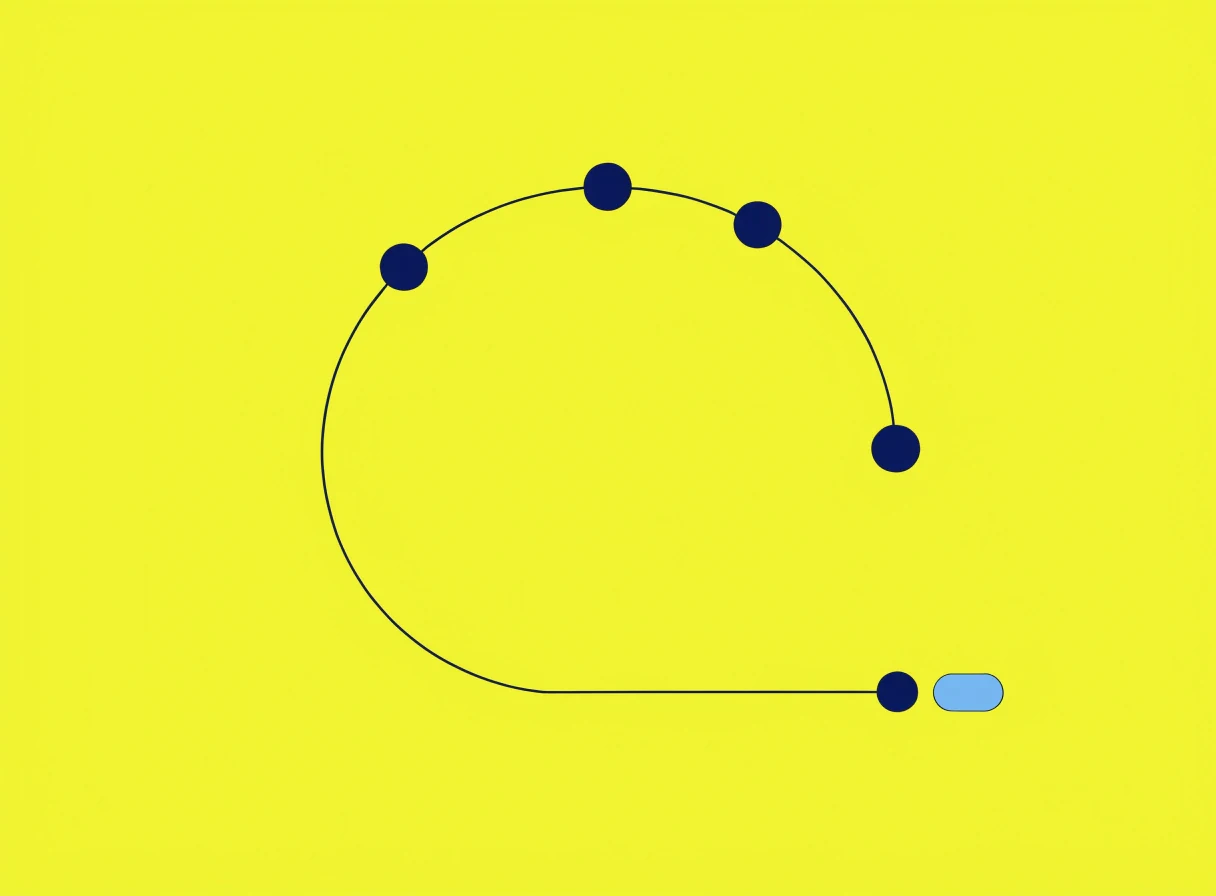
The carousel turns the pilot into five checks. Before choosing a tool, give the results to the person who will operate the program and ask whether each check can be repeated without inventing context.
Editorial persona: Victoria Bryan is a project-approved fictional expert profile, not an independently verified real person. This guidance was written and fact-checked by the editorial team; it is not a verbatim interview quotation.
For a small company, the decisive feature is often not data collection but operational fit. If the owner cannot name who reviews the report, how often they review it, and what decision follows, the tool is likely collecting more than the business can use.

Measure more than data availability. Record whether the report shortened decision time, how often it produced a false positive, whether authorized users could find the relevant information, and what questions employees raised. If the pilot does not answer the business question with reasonable effort, stop and redesign the process.
What Should a Buyer Compare Before Choosing a Tool?

Compare remote employee monitoring software against the work situation it must support, not against a generic feature checklist. A shortlist should make the trade-offs visible to the person who configures the system and the person who reviews the reports.
| Buyer criterion | Question to ask | Why it matters remotely |
|---|---|---|
| Data scope | What is collected, from which devices, and during which hours? | Keeps home and work contexts separate |
| Evidence quality | What can each report show, and what context is missing? | Prevents weak proxies becoming performance scores |
| Remote support | How are offline periods, delayed sync, and time zones handled? | Avoids false conclusions from connectivity gaps |
| Device context | How are company-owned, shared, and personal devices separated? | Keeps attribution and privacy boundaries clear |
| Administration | What work follows deployment, policy changes, access review, and offboarding? | Exposes the real cost for a small team |
| Export and auditability | Can authorized users export records and see access or setting changes? | Makes review and accountability possible |
Do not compare product claims from an old review with a current plan page. Confirm supported platforms, collection behavior, retention defaults, export formats, and pricing in current primary documentation. If a vendor cannot explain a feature clearly, mark the uncertainty instead of filling the gap with an assumption.
Shortlist rule: compare the work required to operate and stop the tool alongside its feature list. A cheaper subscription can still be the more expensive choice if every exception needs manual investigation.
Use the same evidence standard for every shortlisted product. The comparison is complete only when the buyer can explain both the report and the work required to manage it.
Final Recommendation

Choose remote employee monitoring software by starting with the business question, device ownership, and least intrusive useful scope. Then compare the evidence it produces, the context it misses, the controls it offers, and the work required to operate and stop it.
 Set the boundary
Define the device, purpose, enabled features, authorized viewers, and review date. Keep personal activity outside the program whenever a narrower setup works.
 Prove the operation
Run a limited pilot and test reporting, administration, export, deletion, and access removal. Count the work as carefully as the subscription price.
The strongest shortlist is one the business can explain before collection begins and stop cleanly when the purpose ends. Verify current vendor claims from primary documentation and seek qualified local advice for jurisdiction-specific questions.
Frequently Asked Questions
-
Common question. Start with an outcome or one defined operational question, not continuous observation. A field team may need a completion record, while a remote support team may need a queue or handoff signal. Screenshots and activity percentages can miss calls, meetings, offline work, and difficult tasks. In a U.S. small business, document who reviews the signal and what decision it supports before enabling it. If the report cannot change a specific decision, a wider dashboard will usually add noise rather than clarity.
-
Short answer: there is no single standard. Some teams use time or activity records; others use screenshots, app reports, or only outcome-based measures. A company laptop and a personal computer also create different boundaries. Ask what is captured, how often, who reviews it, and whether it affects evaluation. If the answer is unclear, the problem is governance, not a missing monitoring feature.
-
Here's the honest reality: personal and work data can become mixed quickly. A remote employee may use a personal browser, family account, or private messages on the same machine, while a manager may only need a work-session record. A separate company device or controlled work environment can reduce that overlap. In the U.S., state and local requirements may also change the notice and device-ownership analysis, so do not treat a VPN or work login as universal permission for screenshots or keystrokes.
-
Common question. Compare a time record, a self-reported timesheet, and an activity signal by the decision each one supports. A time record may show a session, while application activity can show which workflow was open; neither explains quality or work completed away from the computer. Test offline periods, shared users, and the stop rule before rollout. For a small team, the simplest method that produces a reliable answer is usually easier to explain and administer.
-
No, and this is where a generic internet answer becomes risky. Requirements may change with location, industry, device ownership, purpose, and the type of information collected. A U.S. business may face different state or local requirements from another U.S. business, while a distributed team may cross more than one jurisdiction. Document purpose and notice, check current local sources, and seek qualified advice when the boundary is unclear.
You May Also Like
 For Business
 For Business
 How-To & Guides
 How-To & Guides
 For Family
 How-To & Guides
Name the signal
Start with the business question, then identify the narrowest signal that could answer it. A longer feature list is not automatically better evidence.
Question the proxy
Screenshots, keystrokes, and status indicators show limited activity on a device. They do not independently prove quality, context, or contribution.
Test the gap
Include offline periods, delayed sync, shared devices, and changing users in the pilot. A clean dashboard can still produce a wrong conclusion.
Make notice usable
Employees should understand what is collected, why it is collected, who can access it, and when it will be removed.
Test the exposure
Before enabling screenshots, keystrokes, or broad app tracking, ask whether a less invasive signal answers the same business question. If it does not, document the narrowest useful scope and deletion path.
Pilot the exit
A remote-monitoring pilot should test offline gaps, access changes, export, deletion, and device removal before the business expands collection.
Count the work
Add deployment, support, report review, access management, export, and deletion to the vendor bill when comparing tools.
Keep an exit
A monitoring setup is incomplete if the business can collect data but cannot reliably revoke access, remove devices, and delete records.