


Is Employee GPS Tracking Legal? Rules, Notice, and Off-Hours Limits

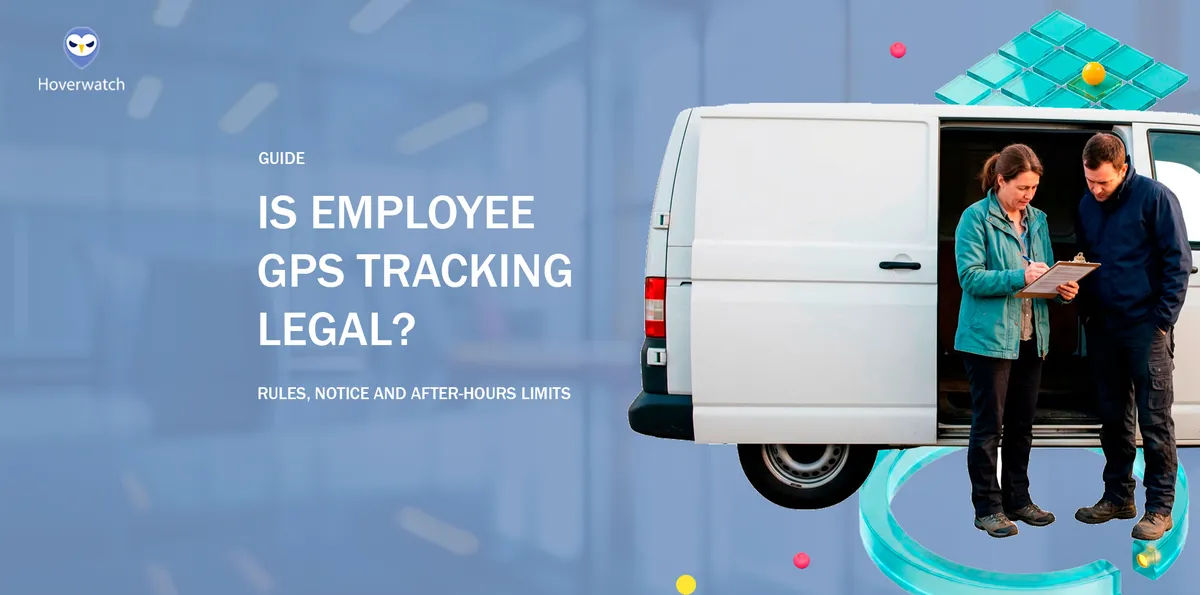
Is employee GPS tracking legal? Usually, yes, when the company owns the vehicle or phone, tracks only during work hours, and tells employees in writing first. But the legal risk sits in three places: personal phones and cars, tracking after the shift ends, and states that require written notice or the owner’s consent.
Getting it wrong costs trust and can end in a privacy lawsuit. Compare four common setups against the federal and state rules as checked in November 2026, then use six steps to keep each monitoring choice inside a legal boundary. None of this is legal advice; outside the US, local rules apply.
What Decides the Answer: Whose Device, Which Hours, What Notice

Whether tracking is legal turns on three questions:
 Whose device:
a company-owned vehicle or phone, or the employee's own.
 Which hours:
paid work time, or the employee's personal time.
 What the employee was told:
nothing, a written notice, or a signed consent.
The questions carry the weight because the answer comes from state law and from a privacy claim, not from a federal GPS statute. That claim weighs exactly these points: whose car or phone, at what hour, and what the employee could expect.
Of the three, the hours question is the one two court cases raise. In Cunningham, the court held tracking that ran into evenings, weekends, and a vacation unreasonable; in Arias, the employee said she was tracked off duty.
Employee GPS Tracking Laws: No Federal Ban, Several State Rules

No federal statute specifically governs a private employer’s GPS tracking. The federal wiretap law, the Electronic Communications Privacy Act, covers the contents of communications, and its definition of an electronic communication leaves out “any communication from a tracking device” (18 U.S.C. § 2510(12)(C)).
For a private employer, the privacy claim courts use is intrusion upon seclusion (Restatement (Second) of Torts § 652B). It asks whether the employee had a reasonable expectation of privacy, which is lower in a company vehicle during work and higher in the employee’s own car and on personal time.
Location history is a record, and records get asked for later. Keep it only as long as the business reason needs it, and set that period before the first trip, not after a dispute starts.
Editorial persona: Benjamin Yates is a project-approved fictional expert profile, not an independently verified real person. This guidance was written and fact-checked by the editorial team; it is not a verbatim interview quotation.

Public employers face one more layer: GPS tracking can be a search under the Fourth Amendment. In Cunningham v. New York State Department of Labor (2013), New York’s Court of Appeals held that a GPS device on an employee’s own car, which also tracked evenings, weekends, and a vacation, was unreasonable in scope.
Employee GPS tracking laws by state differ in what they ask for: notice, or the vehicle owner’s consent. Six examples:
| State | Rule | What it asks |
|---|---|---|
| California | Penal Code § 637.7; California Consumer Privacy Act | Owner’s consent exception; covered employers: privacy notice |
| New Jersey | N.J.S.A. 34:6B-22 | Written notice |
| Connecticut | Gen. Stat. § 31-48d | Written notice of electronic monitoring on the employer’s premises (GPS not named) |
| New York | Civil Rights Law § 52-c | Notice of phone, email, and internet monitoring (GPS not named) |
| Delaware | 19 Del. C. § 705 | Notice of phone, email, and internet monitoring (GPS not named) |
| Texas | Penal Code § 16.06 | Offense to install on a vehicle owned or leased by another; owner’s consent is a defense |
The six rows are a starting point checked in November 2026, not a 50-state survey, and rules change. Other states may add their own, so check your state’s current law or ask an employment lawyer.
Four Common Setups and Where Each One Stands

Each common setup answers the three questions differently, so each gets one of three verdicts:
- Generally allowed: the sources describe it as lawful when its conditions hold.
- Allowed with limits: lawful only with the conditions named, and some states restrict it.
- High risk: the sources describe it as bringing privacy claims or a state crime.
1. Company Vehicle or Company Phone, During Work Hours

Works when: The company owns the vehicle or phone, it is used for work, tracking runs during work hours, and employees got notice first. Written notice is good practice everywhere, and for a tracking device in a vehicle it is the law in New Jersey.
Doesn’t hold when: The vehicle goes home at night and tracking keeps running through evenings and weekends. The same goes for personal errands with tracking on, and for a device fitted with no notice in a notice state.
Why: In GPS tracking of company vehicles, employee privacy still counts, but an employer-owned device used during work carries a lower expectation of privacy than the employee’s own property or own time.
Verdict: Generally allowed.
As one example of a phone tracker, Hoverwatch shows a company Android phone’s GPS location in an online account and does not run on iPhone. Its own rules allow employer use only on a company-owned device, disclosed to the employee in advance and in writing and acknowledged.
2. An App on the Employee’s Personal Phone

Works when: The employee signed a consent that names what the app records and when. Location is used only while clocked in: a check at clock-in and clock-out, or the phone’s “While Using the App” level, which limits location to the app in use.
Doesn’t hold when: The app asks for “Always” location and keeps reporting after the shift, the employee was told nothing, or the employer ends up seeing family time on the employee’s only phone.
Why: The phone is the employee’s property and goes everywhere, so the privacy claim weighs more. In an at-will state, the employer can still make the app a condition of the job, so consent and hours carry this setup.
Verdict: Allowed with limits.
One point to raise, though not a condition: California requires reimbursement of a reasonable share of a personal cell phone used for required work calls; whether that reaches a location app is a question for a lawyer.
A written BYOD policy settles the rest of what a company may and may not access on a personal phone.
3. A Tracker in the Employee’s Own Car

Can an employer track a personal vehicle? In some states, only with the car owner’s consent, and the owner is the employee; where no state rule applies, the privacy claim decides.
Works when: The employee, as the car’s owner, signed a consent, and the employer pauses or unplugs the tracker after the shift as a matter of policy.
Doesn’t hold when: A device is fitted without the owner’s consent in California or Texas, or it keeps tracking evenings and weekends, as in Cunningham.
Why: California’s tracking-device rule does not apply when the vehicle’s registered owner, lessor, or lessee has consented, and the owner here is the employee. Texas makes it an offense to knowingly install a tracking device on a motor vehicle owned or leased by another person; the owner’s or lessee’s consent is a defense. Elsewhere, the privacy claim weighs the employee’s own property.
Verdict: Allowed with limits.
A useful habit: tie the tracker to the mileage record the business keeps anyway, since IRS Publication 463 asks for the date, destination, business purpose, and miles of business use. That is good practice, not a legal basis for tracking.
4. Tracking After the Shift Ends

Can employers track employees outside work hours? Off-hours tracking is a setup an employer will find hard to defend.
Works when: Tracking pauses at clock-out. The time-clock app checks location only at clock-in and clock-out, the phone permission stays at “While Using the App”, or the employer pauses or unplugs a vehicle tracker after the shift. Exceptions, such as an on-call shift or a stolen vehicle, are named in the policy in advance.
Doesn’t hold when: The app or tracker runs around the clock. In Arias v. Intermex Wire Transfer (California, filed 2015), an employee said she was fired after she deleted an app that tracked her phone around the clock, including off duty. In Cunningham, too, the off-hours tracking is what went too far.
Why: Personal time carries a higher expectation of privacy than work time, so a device that is defensible at 2 p.m. is exposed at 9 p.m.
Verdict: High risk.
Tracking left on after the shift answers few business questions, and it can cost an employer the team’s trust.
The Four Setups Side by Side

What separates the four setups is who owns the device and whether tracking stops at clock-out.
| Setup | Verdict | What keeps it defensible |
|---|---|---|
| Company vehicle or phone, work hours | Generally allowed | Written notice first; tracking during work hours |
| App on a personal phone | Allowed with limits | Signed consent; location only while clocked in |
| Tracker in the employee’s own car | Allowed with limits | The owner’s signed consent; paused after the shift |
| Tracking after the shift ends | High risk | Avoid; any exception written into the policy first |
A verdict can still move with the state: in New Jersey, a vehicle tracker used without written notice drops out of the first row. What moves a setup from risky to defensible is paper: notice or consent.
Employee GPS Tracking Consent vs. Notice: What Each One Takes

Notice means the employer tells; consent means the employee agrees, for example by signing. Employer GPS tracking notice requirements come from state law: New Jersey asks for written notice before a tracking device is used in a vehicle.
Consent comes in where the vehicle’s owner has to agree: California’s device rule and the Texas offense both turn on who owns the vehicle, as in setup 3, so in an employee’s own car the signature that counts is the employee’s.
Paper only helps if you can find it. Keep each signed page with its date and the device it names, and get a new one when the device or the hours change.
Editorial persona: Victoria Bryan is a project-approved fictional expert profile, not an independently verified real person. This guidance was written and fact-checked by the editorial team; it is not a verbatim interview quotation.

Give notice in writing before tracking starts, and keep a signed or electronic acknowledgment on file. That is good practice everywhere. New York requires the acknowledgment for the phone, email, and internet monitoring its law names, and Connecticut a posted notice of electronic monitoring on the employer’s premises; neither names GPS. In California, a covered business’s privacy notice at collection names what is collected, why, and how long it is kept.
A signed consent names:
-

The device: the vehicle or phone tracked.
-

The data: location only.
-

The hours: work hours and any named exception.
-

The viewers: the roles that see the location.
-

The retention: how long location records are kept.
-

The way out: how the employee withdraws consent.
It also helps to say what follows a withdrawal, such as a company phone; that is good practice, not a requirement of the statutes in the table.
How to Set Up GPS Tracking That Holds Up: 6 Steps

The order matters: the reason decides the device and the hours, and the paper comes before the first trip.
- Write down why you track. Dispatch, safety, mileage, or theft: name the reason and track only what serves it. Write it before you pick a tool.
- Prefer company-owned vehicles and phones. On a personal phone or car, get the employee’s signed consent first. In California, the car owner’s consent is what takes a vehicle tracker outside the device rule.
- Limit tracking to work hours. Pause or unplug vehicle trackers at clock-out, set phone apps to “While Using the App” or use a clock-in check, and name any exceptions in the policy in advance.
- Write an employee GPS tracking policy. It names the same points as a signed consent, plus how an employee raises a concern. In California, a covered business also owes employees its privacy notice at collection.
- Give written notice and keep the signed acknowledgment. Do it before tracking starts. New Jersey requires the notice for vehicle trackers.
- Check your state’s current law and have an employment lawyer read the policy. The six-state table is a start, not a full list, and location is only one part of the wider legal and ethical limits of employee monitoring.
If You’re the Employee: Can My Employer Track My Phone Location?

Feeling watched after hours is a fair reason to ask questions. First, ask HR in writing what the app records and when, before you change any setting.
Ask which device is tracked, during which hours, who sees the location, and how long it is kept. In California, a covered employer has to tell employees what personal information it collects and why.
Then check the phone itself. Settings shows each app’s location level: “Always” or “While Using the App” on iPhone, “Allow all the time” or “Allow only while using the app” on Android. The app’s help page or privacy notice says whether it records location only at clock-in and clock-out.
Deleting the app or switching location off on your own can cost the job: employment is presumed at will in every state but Montana. In Arias, the employee said she was fired after deleting the app.
Ask instead for a company phone or for location only while clocked in; in California, also about reimbursement where the phone is used for required work calls. Public employees also have Fourth Amendment protection. For help, try the state labor department or an employment lawyer.
What to Choose by Situation

- Drivers or field staff in company vehicles: track during work hours, after written notice.
- Staff who use their own phones: signed consent and location only while clocked in, or a company phone.
- Anything after the shift: leave it off unless the policy names the exception.
So, is employee GPS tracking legal for your business?
With company devices, work hours, and written notice, it usually is.
In our view, the company phone or company vehicle is the setup to pick when you can, because it keeps the employee’s own phone and car out of the question.
FAQ: What Employees Ask About GPS Tracking at Work
-
An app on a personal phone is allowed with limits: signed consent and location only while clocked in; "Always" location that keeps reporting after the shift is the setup the privacy claim weighs most. In an at-will state, refusing the app can still cost the job.
Before you change that setting, email HR: what does the app record, and when? Then open Settings to see which level the app has: "Always" or "While Using the App". Next, ask whether the employer would accept location only while clocked in or give you a company phone; in California, also ask about reimbursement if the phone is used for required work calls. -
Generally, yes, the employer can make the tracker a condition of the job, subject to state rules and any contract. But your own car is setup 3, allowed with limits: it works with your signed consent as the car's owner and a tracker that goes off after the shift.
Before you touch the device, ask HR in writing what it records and when you may unplug it. Your consent as the owner is what California's device rule turns on, and Michigan's law on vehicle tracking devices also turns on the owner's knowledge and consent. If you unplug it after hours, it no longer records your own time. -
It depends on the setting the employer chose: some time-clock apps record location only at clock-in and clock-out, others during the shift, and the app's privacy notice or help page says which. Put that question to HR in writing before you change anything. Once you have asked, check the app's level in Settings; at "While Using the App", it gets location only while in use. After hours, your expectation of privacy is higher, so tracking then can be harder for an employer to defend.
-
It depends on who owns the van. If the employer owns or leases it, California's tracking-device rule does not apply once the owner or lessee, the employer itself, has consented. If the van is his own, his consent is needed. As for not telling him, a business covered by the California Consumer Privacy Act owes employees a privacy notice at or before collecting location data; a covered employer that gave none has not met that duty. Other states differ: in New Jersey, an employer must give written notice before using a tracking device in a vehicle an employee uses. Your friend can ask HR in writing for that privacy notice.
-
No general federal rule says who may see an employee's location. In California, a covered employer must say what it collects and how long it keeps it; elsewhere, the company's tracking policy is the place to look. A sound policy names the roles that see live location and keeps that view to work hours. If seeing your distance from home raises a safety concern, put it to HR in writing.
All information here is provided for informational purposes only and is not legal advice.
You May Also Like
 For Business
 For Business
 For Business
 For Business
 How-To & Guides
 How-To & Guides
Three Questions
Answer all three before tracking starts: whose device it is, which hours it runs, and what the employee was told in writing.
No Federal Statute
No federal statute specifically governs a private employer's GPS tracking. The rules come from state law and from the privacy claim courts use.
Three Verdicts
Each setup gets one of three verdicts: generally allowed, allowed with limits, or high risk. The conditions named in each card decide which.
Generally Allowed
A company vehicle or phone tracked only in work hours is the generally allowed case. Written notice first is good practice everywhere.
Consent and Hours
On a personal phone, signed consent and location only while clocked in carry the setup. An Always setting that reports after the shift does not.
Owner's Consent
In an employee's own car, the owner's consent is what California's device rule and the Texas offense turn on. The owner is the employee.
2 p.m. and 9 p.m.
A device that is defensible at 2 p.m. is exposed at 9 p.m. Pausing tracking at clock-out keeps this setup out of the high-risk row.
One Row Moves
Setups differ by device owner and whether tracking stops at clock-out. In New Jersey, no written notice drops a vehicle tracker from row one.
Notice or Consent
Notice means the employer tells; consent means the employee agrees. A signed consent names the device, data, hours, viewers, retention and the way out.
Order of Steps
The order matters: the reason decides the device and the hours, and the paper comes before the first trip. A lawyer reads the policy last.
Ask in Writing
Before changing any setting, ask HR in writing what the app records and when. Deleting the app on your own can cost the job.
Pick Company Devices
A company phone or vehicle keeps the employee's own phone and car out of the question. After the shift, leave tracking off.