


When it comes to the time frame, you can adjust the frequency at which the screenshots will be taken to one a minute or more rarely.
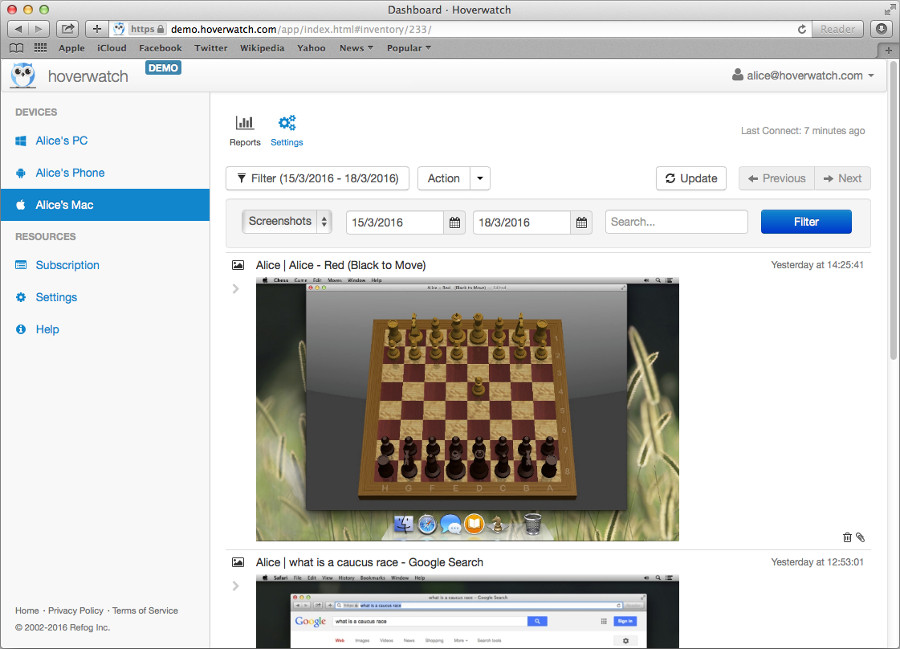 macOS Keystroke Recorder saves screenshots
The screenshots are saved by the macOS keystroke recorder in the JPG format at the 60 % quality from the original without decreasing its size. This feature saves storage space without sacrificing the quality of the screenshot.
All screenshots taken from the monitored computer are available online in the user panel from any device that has an Internet connection.
The screenshot function of the macOS keystroke recorder is turned on by default. There is no need for any changes to enable it.
Why is this feature useful to you?
The screenshot feature of the macOS keystroke recorder can give you a better understanding of the activity on the device you own or are authorized to monitor. For the majority of users, the screen includes various apps and files that are used most frequently.
You can change the frequency when it comes to taking the screenshots, which makes it even more convenient. The function is especially useful when you want to make sure your children aren’t constantly playing games or being exposed to inappropriate content.

