


In addition to this feature, the software includes keystroke logging and screenshot functions, which run quietly in the background while the device user is informed.
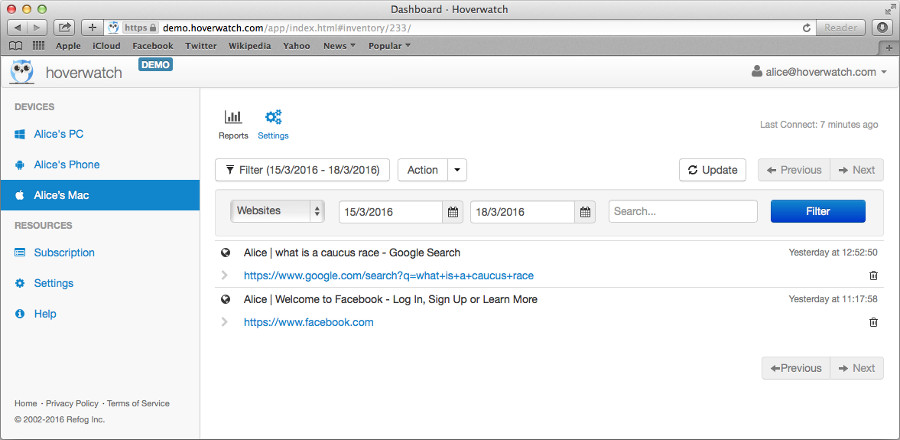 Best keystroke recorder for Mac to save visited websites
Hoverwatch for Mac OSX gives you an opportunity to save the details of websites visited in Safari, Google Chrome, and Firefox browsers. It is the best keystroke recorder for Mac as it also saves the pages visited in private browsing modes, such as Safari Private and Chrome Incognito.
A list of all websites visited from the monitored computer and saved by this Mac keystroke recorder can be viewed in the user panel from any device that has an Internet connection.
The saving websites feature is included in the software by default, so there are no additional changes needed for it to work.
Why is this feature useful to you?
Monitoring the websites visited on a device you manage can give you useful insight into how often work time is lost to distractions. If you want employees to stay productive on company-owned Macs, a disclosed Internet-use policy helps everyone focus, since browsing is a favorite source of distractions and entertainment for most people.
When it comes to your children, knowing their browser activity will also help you protect them from inappropriate websites and contact with strangers. Used as part of an open conversation about online safety, this Mac keystroke recorder also lets you see if your child is using the Internet late at night instead of sleeping.

