


Eyezy Review: Features, Price and Honest Limits

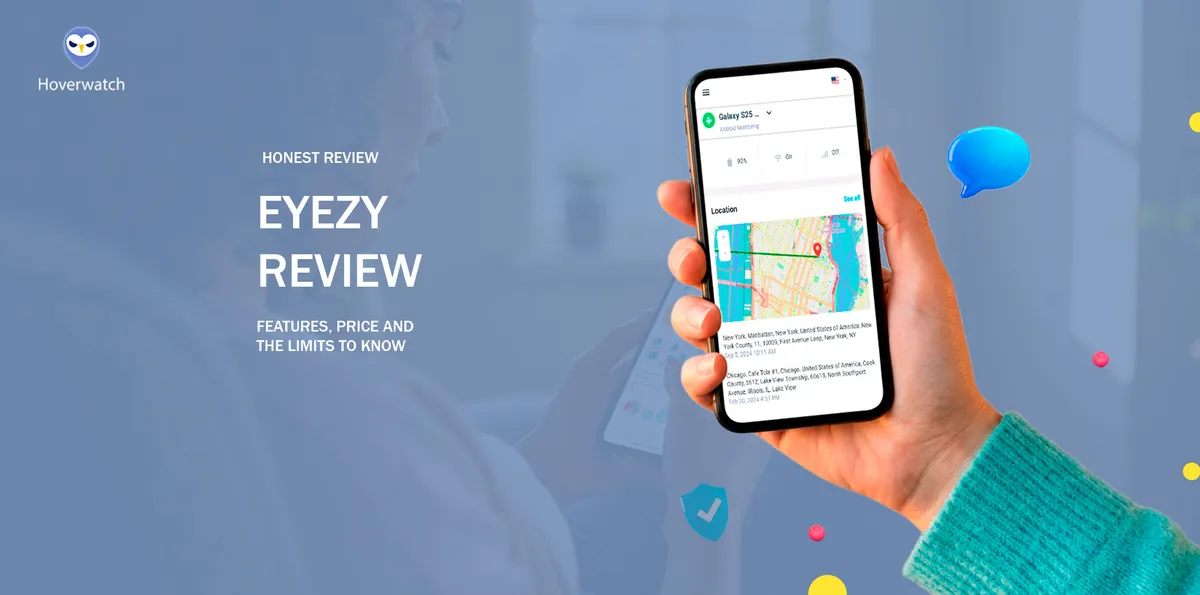
Short answer: Eyezy works on Android without root. On our Samsung Galaxy S25, chat messages from a social app came in on a five-minute sync.
Play Protect, though, had to be switched off for the full feature set.
We bought Eyezy and tested it ourselves, and the price at checkout is not the price you pay at renewal. Read on for what the test showed, how the installation went, and what the app really costs.
What Is Eyezy?

Eyezy is a monitoring service sold as a subscription. What it collects is read in a web dashboard at my.eyezy.com. The site operator named in its Terms of Use (September 5, 2025) is Fortunex Limited of Limassol, Cyprus.
Eyezy’s home page lists iPhones, iPads, Android phones, and Android tablets. On an iPhone, its home page offers a jailbreak, iCloud sync, or local Wi-Fi sync.
By its official feature pages, Eyezy is similar to mSpy in its feature set.
Buying Eyezy: The Four Checkout Steps

We bought the 1-month plan on Eyezy’s site on October 30, 2026. Checkout takes four steps:
-
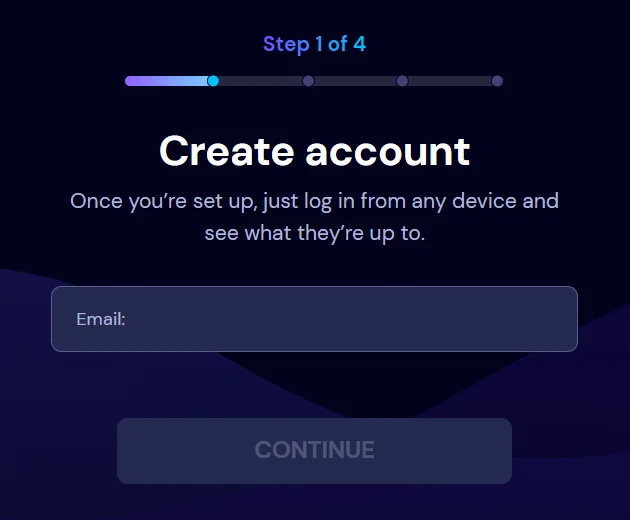 Create account
Step 1: create an account with an email address.
-
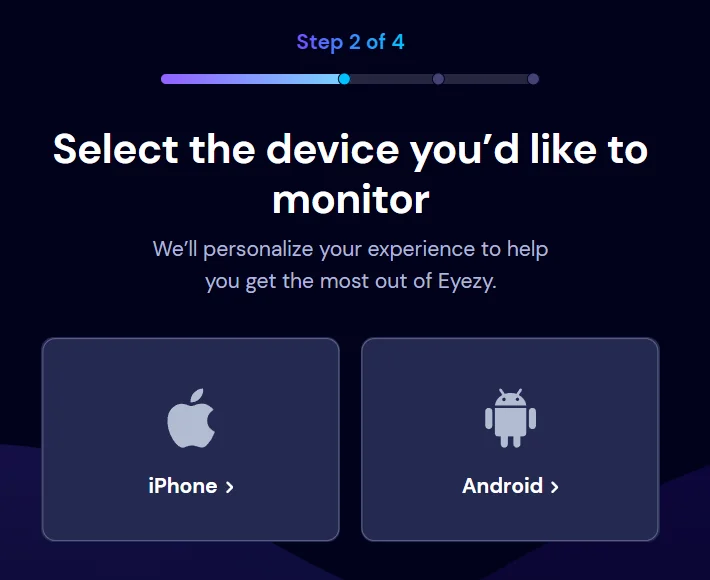 Choose device
Step 2: choose the device type, iPhone or Android.
-
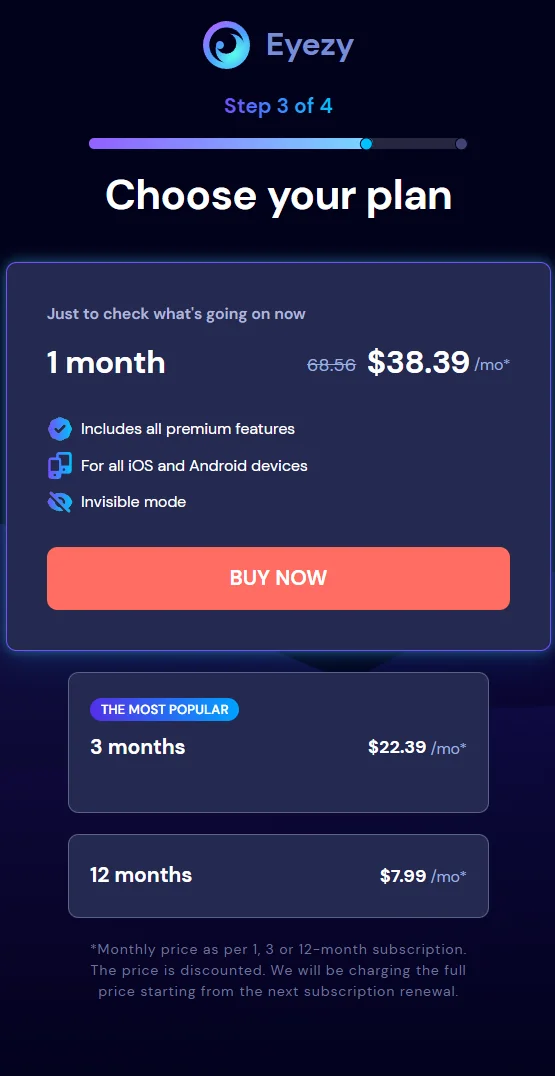 Choose plan
Step 3: choose a plan.
-
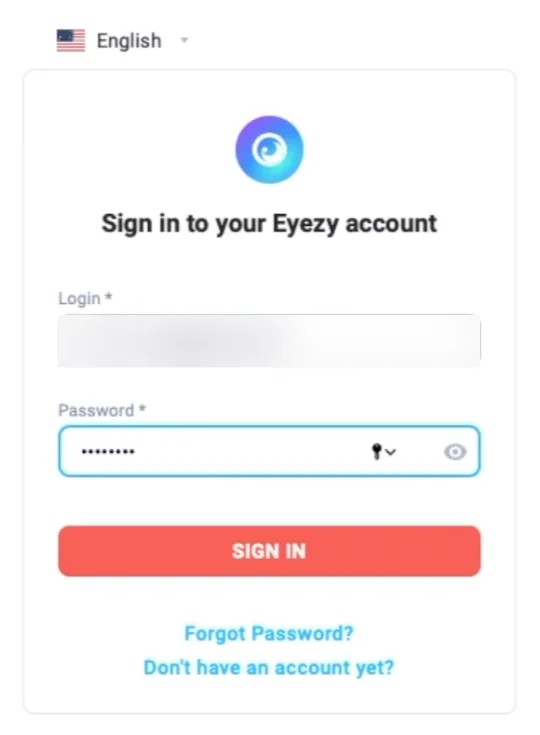 Sign in
Step 4: sign in to the account on my.eyezy.com.
Plan prices appear only at step 3, after you create an account.
The selected plan card shows its price next to a crossed-out one; the figures and the footnote on renewal are in the section “How Much Does Eyezy Cost?” below. The card also says “Includes all premium features” and “For all iOS and Android devices.”
Installing Eyezy on a Samsung Phone Without Root

We installed Eyezy on our Samsung Galaxy S25, not rooted, in one short visit with the phone in hand; the installer APK came from Eyezy’s site, not from Google Play. Eyezy’s Compatibility Policy also asks for physical access.
During setup, the app asked for permissions, including notification access and Accessibility, and we granted them. We also had to disable Play Protect.
Treat each permission a monitoring app asks for as a door you open on your child’s phone. Ask what it lets the app read, and whether you would accept the same request from any other app. A feature behind a door you will not open is not a feature you are buying.
Editorial persona: Jasper Goldstein is a project-approved fictional expert profile, not an independently verified real person. This guidance was written and fact-checked by the editorial team; it is not a verbatim interview quotation.

The setup was not simple and took care: Eyezy ran as intended once every access it asked for was granted.
Eyezy’s setup page also offers the switches “Hide the app icon”, “Prevent uninstallation”, and “Prevent detection by antivirus”, plus one more about keeping the app from being detected.
The same page offers a paid installation-help service (eyeAssistance).
After that one session with the phone, the app ran in the background.
Does Eyezy Work? What Worked in Our Test

With Play Protect off, Eyezy worked on our Android phone without root; with it on, the app did not run its full feature set.
| Point | What happened | Status |
|---|---|---|
| Social-app messages | came in on our phone without root | Worked in our test |
| Sync | on a schedule set in the settings; ours was five minutes | Worked in our test |
| After a phone restart | kept working | Worked in our test |
| Battery | the drain was not strong; we have no figure | Worked in our test |
| After an Android or app update | we did not update | Not tested |
| WhatsApp calls and call recording | not checked on our phone | Not tested |
Eyezy’s Compatibility Policy (March 22, 2021) still says, “Instant messenger tracking works on rooted Androids only.” Our phone was not rooted, yet social-app messages came in once the accesses from setup had been granted.
That is one phone, and we did not measure the delay before data appears.
Eyezy’s Compatibility Policy also says a compatible phone is no guarantee that every feature runs, and The High Tech Society (October 27, 2026) says some Android features expect a rooted device.
We did not update Android or the app. Digital Safety Squad (updated October 18, 2026) saw an Android update reset permissions and interrupt capture in its test.
Inside the Eyezy Dashboard (Demo Account)

The dashboard screenshots come from Eyezy’s official demo at demo.eyezy.com. The demo account runs the Ultra plan, and its data is demo data, not our phone.
The demo dashboard shows these sections:
-
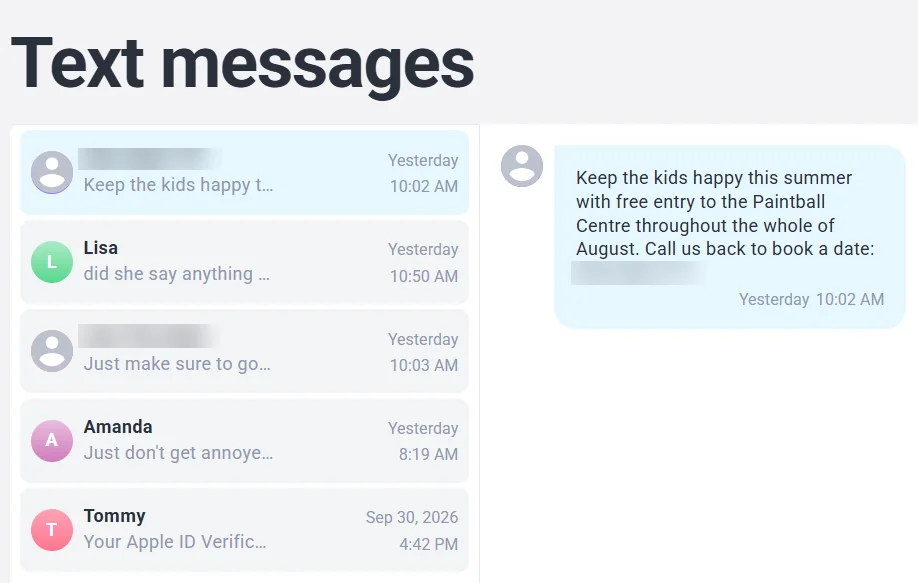 Messages
: SMS and chats.
-
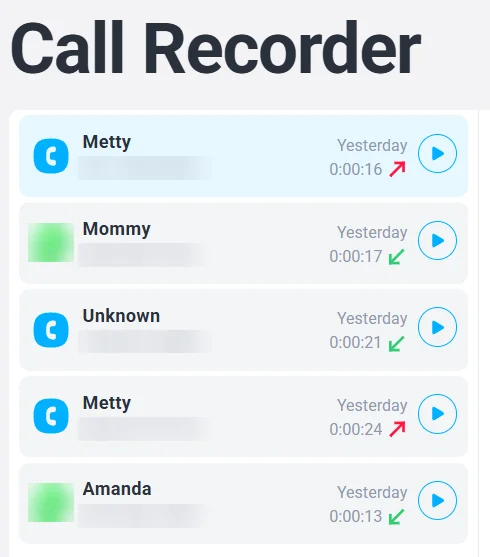 Calls
Calls: Call Recorder; the demo call list includes WhatsApp calls.
-
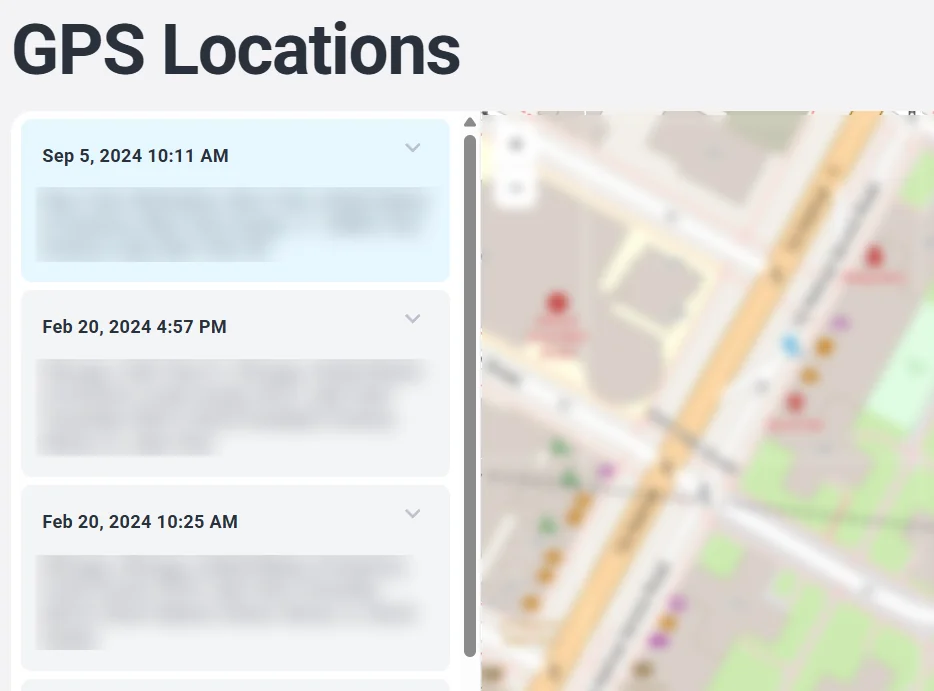 Location
Tracking: Location and Activity Timeline.
-
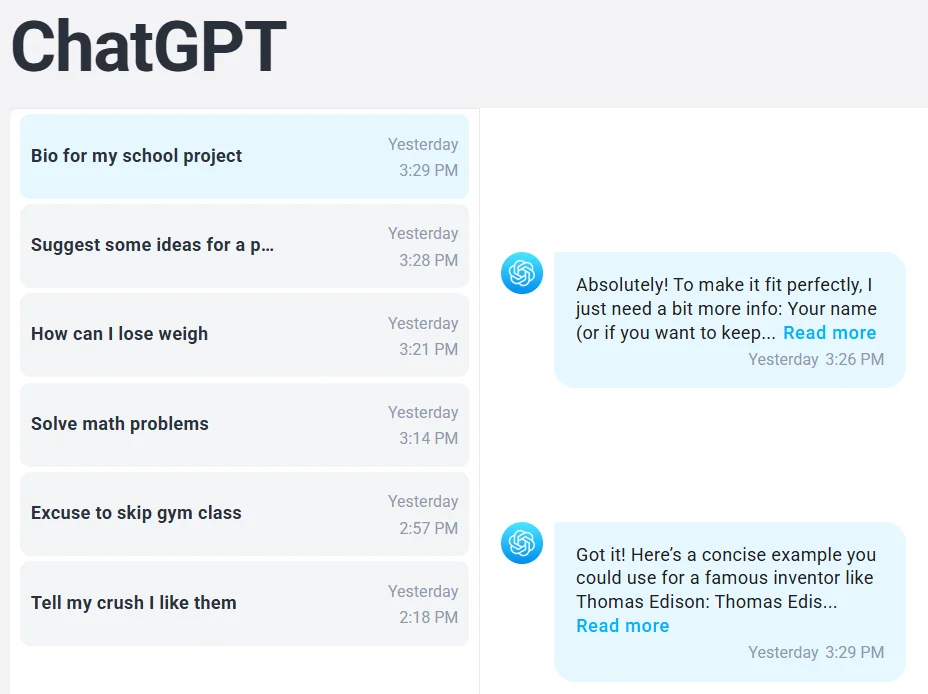 AI tools
: ChatGPT and Gemini.
-
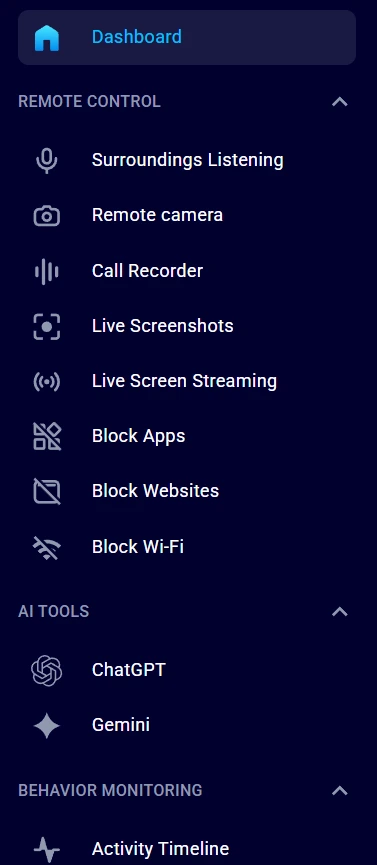 Live views
: Live Screenshots, Live Screen Streaming, Remote camera, and Surroundings Listening.
-
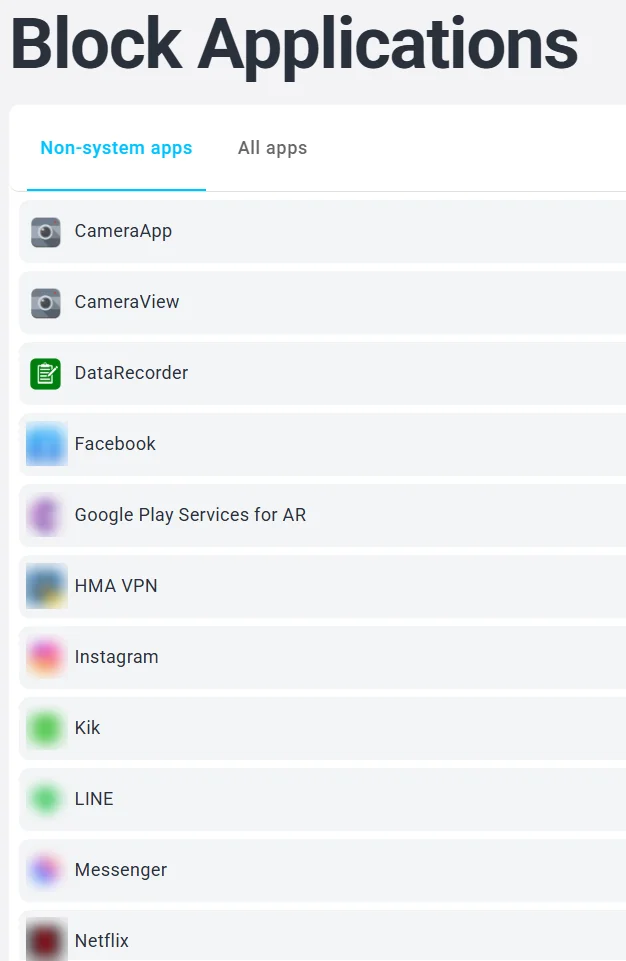 Blocking
: Block Apps, Block Websites, and Block Wi-Fi.
These sections are in the demo; we did not check them in the 1-month plan we bought.
On blocking, the reviews disagree. SafetyDetectives (published August 24, 2022, updated since) says its website blocker held against a VPN but “didn’t work consistently in my tests.” The High Tech Society reports “no screen-time scheduling or content filter.”
How Much Does Eyezy Cost? Checkout Prices and Full-Price Renewal

Checkout prices on the day we bought:
| Plan | Checkout showed (per month) | Whole term (our arithmetic) | Crossed-out price on the selected card |
|---|---|---|---|
| 1 month (the plan we bought) | $38.39 | $38.39 | 68.56 |
| 3 months (“The most popular”) | $22.39 | $67.17 | 39.99 |
| 12 months | $7.99 | $95.88 | not shown on our screenshots |
Whole-term figures are our arithmetic (per-month price times months), not checkout figures.
A footnote under the plans says: “The price is discounted. We will be charging the full price starting from the next subscription renewal.” Eyezy’s Terms of Use agree: the subscription renews automatically “at the original, not discounted, price.”
The same terms require one subscription for each monitored phone.
Eyezy’s pages mention no free trial, and SafetyDetectives and The High Tech Society say there is none.
Budget for the second term at the renewal price.
Is Eyezy Legit? Refunds and What Eyezy Reviews Report

One Eyezy app review, The High Tech Society’s, calls it “a legitimate, working product rather than a scam.” SafetyDetectives calls it expensive and says it “has a strict refund policy.”
Replies in the Reddit r/apps thread “DO NOT BUY Eyezy Parental Control App” (January 12, 2024) describe refused refunds; these are users’ claims.
We did not try a refund. Eyezy’s Refund Policy (September 5, 2025) allows one request within 14 days, for the first subscription only, by email to billing, and “per each transaction 9% will be deducted from the refunded amount.”
Before the first payment, note two dates: the last day of the refund window and the renewal date. Then check, early in that window, whether the features you paid for show data from your child’s phone. A gap found on day three is easier to raise than one found after the window closes.
Editorial persona: Caroline Waters is a project-approved fictional expert profile, not an independently verified real person. This guidance was written and fact-checked by the editorial team; it is not a verbatim interview quotation.

The policy’s exclusions include a change of mind and a phone that does not meet the Compatibility Policy. eyeAssistance and phone support are non-refundable.
Read the Refund Policy’s exclusions before the first payment: a request that falls under any of them can be refused.
Who May Use Eyezy? What Its Terms Say

Eyezy may block accounts that monitor a person “who has not provided their consent,” its Terms of Use say. The same terms say the software is “Designed for Legal Use only” and ask you to agree that you are “a parent to your minor child or guardian of a ward” and “an owner of this device.”
Eyezy’s Android page lists “I’m worried they’re being unfaithful” among the reasons to buy.
Intercepting another adult’s communications without consent can break US federal law (18 U.S.C. § 2511) and state laws; check the law where you live.
Eyezy vs Hoverwatch on Android: Where Each One Fits

Eyezy covers iPhone as well as Android; our app is an Android app that shows activity and blocks no apps or websites.
| Point | Eyezy | Hoverwatch |
|---|---|---|
| Phones | iPhone and Android; we tested Android | Android phones and tablets; no iPhone or iPad |
| What it shows | messages, calls, location, AI chats, live views (demo) | calls, SMS, location, listed messengers |
| Social-app messages without root | came in on our phone; its policy says root | WhatsApp is on its feature list; its pages say no root is needed (not tested by us) |
| Blocking | in the demo; not tested | none: it shows, it does not block |
| Setup | APK from its site, app permissions, Play Protect off | install file from its site, broad permissions, Play Protect scan off |
| Price | checkout per month: $38.39 (1 mo), $22.39 (3 mo), $7.99 (12 mo); term totals by our arithmetic: $38.39, $67.17, $95.88; full price at renewal | $39.95 / 1 mo, $69.95 / 3 mo, $119.95 / 12 mo, checked October 30, 2026 |
| Trial | not stated | 3 days |
Our app fits a parent who needs Android only and viewing only, and wants to try it first.
Who Should Buy Eyezy, and Who Should Not

Our Eyezy review verdict: Eyezy fits the parent of a minor with an Android phone who is ready to switch Play Protect off and pay the full price from the first renewal. It does not fit in these cases:
- You need a free trial or a refund without conditions: Eyezy’s pages mention no trial, and its refund policy has exclusions.
- You cannot switch Play Protect off on the child’s phone.
- You count on social-app messages without root on every phone: Eyezy’s policy does not promise it, and we tested one phone.
You want to monitor another adult: Eyezy’s terms do not cover it, and our app’s policy prohibits it even with consent.
For Android-only viewing with a 3-day trial, our app is the narrower option.
Untested demo features, such as blocking, call recording, and AI chat, are not a reason to buy.
To weigh other tools, see other monitoring options matched to a family’s need and a side-by-side table of Android parental control apps.
FAQ: What Parents Ask About Eyezy
-
Eyezy's pages say it works on both; on an iPhone, it offers a jailbreak, iCloud sync, or local Wi-Fi sync. We did not test an iPhone: our test was one Samsung Galaxy S25. Digital Safety Squad found the iCloud route slower and smaller than Android in its test. Before you choose a plan for an iPhone, check what the iCloud route can show.
-
Check the setup first: in our test, Eyezy needed all the accesses it asked for and Play Protect off to run as intended. Check early, because the refund window is 14 days.
-
Possibly, but only on Eyezy's terms, and we did not try. Its Refund Policy allows one request within 14 days of the first subscription, with 9% deducted per transaction. A phone that does not meet the Compatibility Policy is one of the exclusions, and that policy ties messenger tracking to root. A request about missing messages may then be refused, so ask inside the window.
-
In our view, yes: tell her first and agree on what is watched and why. Eyezy's Terms of Use ask you to confirm that you are her parent or guardian and the owner of the device. Its demo dashboard shows chats, calls, and location, and that is what she should hear about from you. A conversation now can cost less than her finding the app later.
-
Not by its terms. Eyezy's Terms of Use name a parent of a minor child or a guardian of a ward who owns the device, and Eyezy may block an account that monitors a person who has not consented. Two consenting adults are not one of the cases those terms name. Intercepting another adult's communications without consent can break US federal and state law; check the law where you live before any app is installed.
General information only, not legal advice.
You May Also Like
 Tools & Apps
 Tools & Apps
 Tools & Apps
 Tools & Apps
 Tools & Apps
 Tools & Apps
Who Sells It
The service is a subscription read in a web dashboard. Its Terms of Use name Fortunex Limited of Limassol, Cyprus, as the site operator.
When Prices Appear
Plan prices appear only at step three, after you create an account. The selected plan card shows its price next to a crossed-out one.
One Short Visit
Setup takes one short visit with the phone in hand. The installer comes from the vendor's site, not Google Play. Play Protect was switched off.
Limits of the Test
This test covers one phone. The delay before data appears was not measured, and updates, WhatsApp calls and call recording were not checked.
Demo, Not Our Phone
The dashboard screens come from the vendor's demo account on the Ultra plan and show demo data, not our phone or the plan we bought.
Renewal Price
The checkout price is discounted. The terms say the subscription renews at the original, not discounted, price, with one subscription per monitored phone.
Refund Terms
The refund policy allows one request within 14 days, for the first subscription only, and 9% is deducted per transaction.
Who the Terms Name
The terms ask you to confirm you are a parent or guardian and the device owner, and they allow blocking accounts that monitor without consent.
Two Different Scopes
One tool covers iPhone as well as Android; the other is an Android app that shows activity and blocks no apps or websites.
Not Reasons to Buy
Blocking, call recording and AI chat appear in the demo; we did not check them in our plan, so they are no reason to buy.