Employee Monitoring for Productivity and Security
Corporate devices are company assets. Hoverwatch helps you ensure they are used responsibly — protecting sensitive data and supporting your team's performance.
Sign up free3-Day Free Trial No Credit Card Required 5-Min Setup
- Monitor up to 25 corporate devices from one Control Panel
- Track app usage, websites, and location during work hours
- Detect unauthorized data sharing with keystroke logging
- No impact on device performance
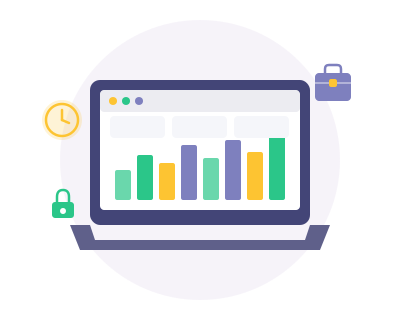
Company-issued devices can be misused during working hours — from excessive personal browsing and social media to unauthorized data sharing. Without visibility into how corporate devices are used, you risk productivity losses, data leaks and potential compliance violations. Manual oversight simply doesn't scale.
Hoverwatch monitors activity on corporate devices and delivers clear reports to your secure Control Panel. You can see which apps are used, what websites are visited, and where company devices are located — all without disrupting your employees' workflow. All reports are available in your password-protected Control Panel, accessible only to authorized personnel.
Features That Support Your Business


Background Operation
The lightweight background app runs without affecting device performance or employee workflow, while staff remain informed under your disclosed monitoring policy.
How It Works
Step 1
Sign up for your free account — just enter your email and choose a password.
Step 2
Install the app on the target device from your online account.
Step 3
Monitor all activity from your secure Control Panel on any device.
Why Businesses Use Hoverwatch
Even well-intentioned teams can lose focus during the workday — it's not a character flaw, it's human nature. The real question is whether you have the tools to identify productivity issues early and address them constructively. Hoverwatch employee monitoring software gives managers the data they need to support their teams without resorting to micromanagement.
Beyond productivity, corporate devices carry sensitive business information. Client data, internal communications, financial records — all of this can be compromised if a device is lost, stolen, or used carelessly. Hoverwatch helps you maintain oversight and reduce the risk of data leaks.
The Business Case for Monitoring
An average employee spends up to 2 hours per day on non-work activities on company devices. For a team of 10, that's 100+ hours of lost productivity per week. At an average hourly cost of $25, that's $10,000/month in wasted resources.
Hoverwatch Business plan: $149.95/month for up to 25 devices.
What You Can Track on Corporate Devices
Hoverwatch collects relevant information from company-owned devices and makes it available through a centralized Control Panel:
- Application usage — which apps are opened and how frequently
- Websites visited during working hours
- Calls made and text messages sent from corporate numbers
- GPS location and movement history of each device
- Keystroke data for identifying information shared outside approved channels
- Periodic screenshots showing on-screen activity
All data is synchronized to the cloud in real time. You can access your Control Panel from any device with an Internet connection.
Responsible Workplace Monitoring
Hoverwatch is intended for use on company-owned devices with proper employee notification, in accordance with applicable labor laws. Transparent monitoring policies can help build trust within your organization while protecting both the company and its staff. You gain the visibility needed to make informed decisions about resource allocation, security, and team management.
Start Monitoring in 5 Minutes
Create your free account and start seeing results today.
Sign up freeFree 3-day trial. No credit card required.
Plans from $24.95/month. See all plans
Hoverwatch makes you happier
Over 1 million people trust Hoverwatch to take care of their loved ones

We deployed Hoverwatch across our sales team's devices and immediately gained visibility into how company phones were being used. Productivity improved within the first month.

As a small business owner, I needed a simple way to monitor company devices without a big IT department. Hoverwatch was easy to set up and gives me all the reports I need.
Employee Monitoring FAQ
What is employee monitoring software and how does Hoverwatch work?


Employee monitoring software tracks how company-owned devices are used during work hours. Hoverwatch installs on corporate smartphones, tablets, and computers, then reports activity data — including app usage, websites visited, location, communications, and keystrokes — to a centralized Control Panel accessible only to authorized managers. This gives businesses clear visibility into how their assets are being used and helps ensure productivity and data security.
Why should a business monitor company-issued devices?
There are three compelling reasons: Productivity — studies show employees spend up to 2 hours per day on non-work activities on company devices. Security — monitoring helps detect unauthorized data sharing, suspicious communications, and policy violations before they become incidents. Accountability — for field staff and remote workers, location and activity tracking verifies work is being performed as expected. Even modest productivity improvements typically deliver significant ROI on the monitoring investment.
Is employee monitoring legal?
In most jurisdictions, employers have the legal right to monitor company-owned devices, provided employees are informed about the monitoring. Best practice is to include monitoring disclosure in your employment contract, IT acceptable use policy, or employee handbook. Some regions require explicit written consent. Hoverwatch is designed for use on corporate-owned devices with proper employee notification — we recommend consulting with your legal team to ensure compliance with local employment and privacy laws.
What data can Hoverwatch collect from corporate devices?
Hoverwatch provides comprehensive device monitoring including: application usage (which apps are opened, frequency, and duration), websites visited with timestamps, phone call logs and SMS messages, GPS location tracking and travel routes, keystroke logging (all text typed on the device), periodic screenshots of device activity, and camera photo capture. All data syncs to your cloud-based Control Panel in near real-time, giving managers an accurate picture of device usage.
Can Hoverwatch track the location of field employees?
Yes. Hoverwatch provides real-time GPS tracking with complete location history. The Control Panel displays each employee's current position on a map, along with their travel routes and timestamps throughout the day. This is invaluable for verifying client visits, optimizing travel routes, confirming attendance at job sites, and ensuring staff safety when working in remote or unfamiliar locations.
Does Hoverwatch monitor which apps and websites employees use during work hours?
Yes. Hoverwatch logs all application usage — which apps are opened, how frequently, and for how long — as well as every website visited with precise timestamps. This data helps managers identify productivity patterns, detect excessive social media or entertainment use during work hours, and spot unauthorized applications installed on corporate devices. Reports can be viewed in real-time or reviewed historically.
Can Hoverwatch detect if sensitive company data is being shared externally?
Hoverwatch's keystroke logging captures all text entered on the device, including messages, emails, search queries, and document content. This can reveal when confidential information — such as client data, financial figures, or proprietary details — is being communicated through unauthorized channels. Combined with screenshot capture and communication monitoring, Hoverwatch provides multiple layers of visibility to help protect your company's intellectual property.
How many devices can I monitor with one Hoverwatch account?
Hoverwatch supports up to 25 devices from a single account under the Business plan. Each device appears as a separate entry in your Control Panel with its own complete data stream. Plans scale from Personal (1 device) through Family (5 devices) to Business (25 devices), making Hoverwatch suitable for monitoring small teams, departments, or entire mobile workforces.
How do I deploy Hoverwatch across my team's devices?
Deployment is straightforward: create your Hoverwatch account, then install the app on each corporate device. Installation takes approximately 5 minutes per device and requires brief physical access. No root access or special technical expertise is needed. Once installed, the software runs quietly in the background without affecting normal device functionality. All devices are immediately manageable from your centralized Control Panel.
Does Hoverwatch affect device performance or battery life?
Hoverwatch is designed to run efficiently with minimal system impact. The app operates in the background and does not noticeably slow device performance or cause significant battery drain. Employees can continue using their devices normally for all work tasks. Data transmission is optimized to use minimal bandwidth, syncing activity reports without interfering with the device's primary functions.
How should I inform employees about monitoring on corporate devices?
Best practice is to establish a clear monitoring policy before deployment. Include monitoring disclosure in your employee handbook, IT acceptable use policy, or as an addendum to employment contracts. Inform new employees during onboarding and notify existing staff before implementing monitoring. Be transparent about what is monitored and why — this builds trust and is legally required in many jurisdictions. Hoverwatch provides the technology; the policy framework is your organization's responsibility.
How much does Hoverwatch cost for business use?
Hoverwatch is among the most affordable employee monitoring solutions on the market. The Business plan supports up to 25 devices with no complex per-seat licensing. A 3-day free trial is available so you can evaluate the full feature set and Control Panel before making a commitment. Visit the pricing page for current rates. Considering the ROI from improved productivity and enhanced security, most businesses find the investment pays for itself quickly.