Family Safety Starts with Staying Connected
Whether you're looking after aging parents, keeping tabs on teenagers, or coordinating with family members across town — Hoverwatch helps you stay informed and respond when it matters.
Sign up free3-Day Free Trial No Credit Card Required 5-Min Setup
- Track family members' location in real time
- Monitor elderly relatives for unusual activity patterns
- Get peace of mind about your teen's online interactions
- Works on up to 5 devices from one account
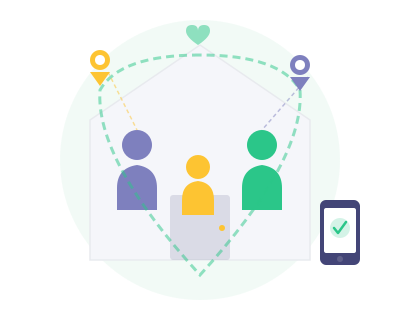
Life gets busy, and staying aware of your family's safety can be difficult. Elderly relatives may forget to check in or wander from familiar areas. Teenagers may not share where they're going or who they're meeting. In emergencies, you need to know where your loved ones are — and traditional phone calls aren't always enough.
Hoverwatch keeps you connected to your family members through quiet, reliable monitoring. You can check their location at any time, review their recent messages, and receive information that helps you act quickly if something seems wrong. All data is available from your secure Control Panel on any device.
Features That Keep Your Family Connected


How It Works
Step 1
Sign up for your free account — just enter your email and choose a password.
Step 2
Install the app on the target device from your online account.
Step 3
Monitor all activity from your secure Control Panel on any device.
Why Families Rely on Hoverwatch
Every family has its own concerns. For some, it's making sure a teenager arrives safely at a friend's house. For others, it's knowing that an elderly parent hasn't left a familiar area without telling anyone. Hoverwatch provides the information you need to address these concerns without being intrusive.
Unlike simple location-sharing apps, Hoverwatch offers a complete picture of device activity. You can see not just where someone is, but also who they're communicating with and what they're doing online. This broader context can help you identify potential problems before they escalate.
Scenarios Where Hoverwatch Can Help
Elderly Care
If you have a parent or grandparent who lives alone, Hoverwatch can help you monitor their location and communication patterns. A sudden change in routine — like leaving home at an unusual hour or communicating with unfamiliar contacts — may signal that something needs your attention.
Teen Safety
Teenagers value their independence, but they don't always make the safest choices. Hoverwatch helps you verify that your teen is where they say they are, and that their online interactions are appropriate for their age.
Family Coordination
For families spread across a city or region, Hoverwatch can serve as a practical tool for knowing where everyone is. Whether you're coordinating pickups, checking that someone arrived safely, or simply staying in the loop, the location and communication data can make daily life a little easier.
Start Monitoring in 5 Minutes
Create your free account and start seeing results today.
Sign up freeFree 3-day trial. No credit card required.
Plans from $24.95/month. See all plans
Hoverwatch makes you happier
Over 1 million people trust Hoverwatch to take care of their loved ones

Finally, I can ensure my 13-year-old daughter is safe online. Hoverwatch is the best parental app I’ve tried, helping me prevent a potentially dangerous situation when a stranger tried to contact her.

The background mode is fantastic — it runs without slowing the phone. My teenage son knows it's there, and I use this parental control app together with him to make sure he's staying safe online.
Family Safety FAQ
What is a family safety app and how does Hoverwatch work as one?


A family safety app helps you keep track of your loved ones' digital activity and physical location. Hoverwatch installs on family members' Android devices and securely sends location data, communication logs, and activity reports to your private Control Panel. Unlike simple location-sharing apps, Hoverwatch provides a complete picture — including calls, messages, social media activity, and browsing history — so you always know your family is safe.
Who is Hoverwatch designed for — parents, adult children, or both?
Hoverwatch serves both purposes. Parents use it to monitor their children's online safety, while adult children rely on it to look after elderly parents — tracking their location, monitoring for unusual contacts that could indicate scam calls, and staying informed about their daily routines. With support for up to 5 devices on a single account, the whole family can stay connected and protected.
Is Hoverwatch safe and legitimate to use for family monitoring?
Yes. Hoverwatch is an established monitoring solution trusted by families worldwide. All data transmitted between the monitored device and your Control Panel is kept in secure cloud storage. Your information is accessible only through your password-protected account — no one else, including Hoverwatch staff, can view your data. The software is designed for responsible, consensual family safety use.
What can I monitor on a family member's device with Hoverwatch?
Hoverwatch provides comprehensive monitoring including: GPS location tracking (real-time and history), phone call logs, SMS and MMS messages, social media messages (WhatsApp, Facebook Messenger, Snapchat, Telegram, Instagram), web browsing history and search queries, photos taken with the device camera, installed apps and usage, and AI chatbot conversations. All data is organized in an easy-to-navigate Control Panel accessible from any browser.
Can Hoverwatch track the real-time location of family members?
Yes. Hoverwatch uses a combination of GPS, Wi-Fi positioning, and cell tower data to provide accurate location tracking. You can view each family member's current location on a map in your Control Panel, as well as their complete location history with timestamps and routes. This works both indoors and outdoors, giving you peace of mind about where your loved ones are at all times.
Does Hoverwatch monitor social media and messaging apps?
Yes. Hoverwatch tracks conversations on popular platforms including WhatsApp, Facebook Messenger, Snapchat, Telegram, and Instagram. You can see messages sent and received, shared media, and timestamps. This is especially important for protecting teens from cyberbullying and online predators, as well as safeguarding elderly family members from social engineering scams.
Can Hoverwatch help protect elderly family members?
Absolutely. Hoverwatch is an excellent tool for adult children who want to ensure their aging parents' safety. You can monitor for unusual location patterns that might indicate wandering, unfamiliar contacts that could signal scam attempts, and changes in communication routines. For example, if a parent with early dementia leaves their usual area or starts communicating with suspicious numbers, you'll see it in your Control Panel and can act quickly.
How do I set up Hoverwatch on my family's devices?
Setup takes just a few minutes per device in three simple steps: 1) Create a free Hoverwatch account at my.hoverwatch.com. 2) Install the app on each family member's device — you'll need brief physical access to the device. 3) Log into your Control Panel from any browser to start viewing data. No rooting is required, and you can manage up to 5 devices from a single account.
Does Hoverwatch work on Android, iPhone, and computers?
Hoverwatch supports Android smartphones and tablets, as well as Windows and macOS computers. Please note that Hoverwatch does not support iPhones or iPads due to Apple's platform restrictions that prevent third-party monitoring software from operating. If your family uses Android phones and computers, Hoverwatch has you covered across all those devices.
Is it legal to use a family safety monitoring app?
In most jurisdictions, parents have the legal right to monitor their minor children's devices. For adult family members, obtaining their knowledge and consent is recommended. Laws regarding monitoring vary by country and region, so we advise checking your local regulations. Hoverwatch is designed as a family safety tool — not for unauthorized surveillance of people without their knowledge or consent.
How much does Hoverwatch cost for family monitoring?
Hoverwatch is one of the most affordable comprehensive monitoring solutions available. Plans are offered for 1 device (Personal), 5 devices (Family), and 25 devices (Business). A 3-day free trial is available so you can explore the Control Panel and test all features before committing to a subscription. Visit the pricing page for current rates and special offers.
Can I monitor multiple family members from one Hoverwatch account?
Yes. One Hoverwatch account lets you monitor multiple devices — each device's data appears in a separate section of your Control Panel, so information is organized and easy to review. You can manage settings for each device individually. Plans range from Personal (1 device) to Family (5 devices), making it simple to keep your entire family protected from a single account.