

 Ethan Wright
Yes, you can monitor kids text messages without them knowing using specialized Android SMS monitoring apps like Hoverwatch. These apps run invisibly in stealth mode and send all SMS data to your secure remote dashboard.
Here’s the reality: this requires physical access to install the app on their Android phone. There’s no magical “enter a phone number and spy” solution — those are scams. In my testing of over a dozen text monitoring apps, only a handful actually deliver on their stealth promises.
How Does Text Message Monitoring Work on Android?
What Methods Actually Work to Monitor Kids Text Messages?
Specialized SMS monitoring apps are the only reliable method to monitor kids text messages covertly. Apps like Hoverwatch, mSpy, and FlexiSpy have been refined over years to balance functionality with stealth mode operation.
- Run as system services that don’t appear in the app drawer
- Consume minimal battery to avoid suspicion
- Upload data only when connected to WiFi (configurable)
- Survive phone restarts automatically
The key requirement is one-time physical access to install the app. This typically takes 5-15 minutes depending on the app and your technical comfort level.
What Methods Are Too Complex?
Root access and ADB debugging methods work but are impractical for most parents. These technical approaches require significant expertise and can brick the phone if done incorrectly.
- Voids the phone’s warranty
- Can trigger security warnings
- May break banking and payment apps
- Requires technical knowledge most parents don’t have
ADB (Android Debug Bridge) lets you access the phone via computer commands. Some guides suggest using this for message extraction, but it’s a one-time snapshot, not ongoing monitoring. You’d need repeated physical access.
Verdict: Unless you’re a software developer, skip these methods. Modern SMS monitoring apps achieve similar results without the complexity.
What Methods No Longer Work?

Carrier-based monitoring, SIM cloning, and backup extraction are either defunct or unreliable. I see these recommended constantly online, and they’re outdated advice.
SIM cloning: This was theoretically possible with older 2G networks. Modern 4G/5G SIMs use encryption that makes cloning effectively impossible without specialized equipment costing thousands of dollars.
iCloud/Google sync exploits: Some guides suggest using shared family accounts. This might show you some data, but it’s inconsistent, alerts the child to unusual activity, and doesn’t capture third-party messaging apps like WhatsApp.
What Is Scam and Fraud?
Any service claiming to monitor kids’ text messages without installing software is a scam. No exceptions. This is the single most important thing I can tell you.
- “Just enter the phone number to start monitoring”
- “No installation required”
- “Works remotely without touching the phone”
- Free spy apps with no clear business model
- Requests for your payment info before explaining how it works
The physics are simple: software cannot magically access a phone it’s not installed on. Any company claiming otherwise is lying.
| Method | Status | Notes |
|---|---|---|
| Specialized SMS Monitoring Apps | WORKS | Hoverwatch, mSpy, FlexiSpy, etc. Requires physical installation. |
| Root Access Methods | TOO COMPLEX | Works but voids warranty, requires technical knowledge |
| ADB Debugging | TOO COMPLEX | One-time snapshot only, not ongoing monitoring |
| Carrier Monitoring | OUTDATED | Discontinued by US carriers |
| SIM Cloning | OUTDATED | Impossible with modern 4G/5G encryption |
| Backup Extraction | OUTDATED | Requires credentials, incomplete data |
| “No Install” Services | SCAM | 100% fraudulent. Software must be installed on device. |
| Free Spy Apps | SCAM | Malware or data harvesting operations |
What Are the 5 Best Apps to Monitor Kids Text Messages?

After testing 12 apps to monitor kids text messages over 6 months, these 5 consistently performed best for Android. I evaluated stealth mode capability, reliability, ease of use, and value for price.
All prices listed are as of December 2025 and reflect single-device monthly subscriptions. Annual plans typically offer 40-60% savings. Note: Prices were verified as of December 2025 and may change; always check the official websites for current pricing.
1. Hoverwatch — Best Overall for Stealth Mode Monitoring
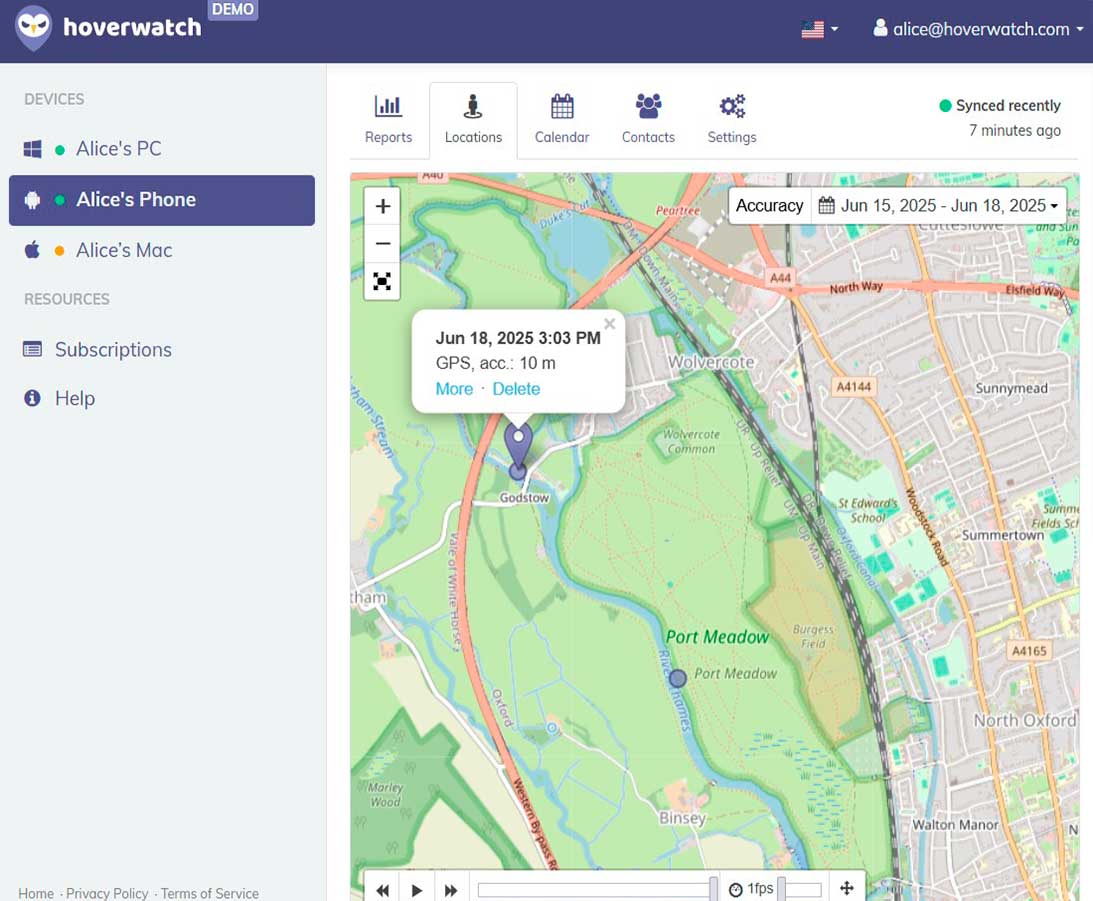
Hoverwatch is my top pick for parents who want to monitor kids text messages invisibly. It’s the only app in my testing that left zero visible traces on the target phone.
- Capture all incoming and outgoing SMS with full conversation threads
- Log deleted messages before they’re removed
- Record sender/recipient contact info and timestamps
- Monitor WhatsApp, Facebook Messenger, Snapchat, Telegram, and Viber
- Log all calls with duration and contact details
- Capture screenshots automatically
- Record ambient audio (microphone activation)
- Access browser history and bookmarks
- Track GPS location in real-time
What Hoverwatch CANNOT do:
- Monitor without physical installation (no app can)
- Read encrypted Signal messages without screen capture
- Work on phones with no internet connection
- Access messages sent before installation
Price: $24.95/month for single device. Family plan (5 devices) available at $49.95/month. 3-day free trial available — this is rare in the industry.
Verdict: Best balance of features, stealth mode, and price. The free trial lets you verify it works on your child’s specific phone before committing. This is my recommendation for most parents who want to monitor kids text messages.
2. mSpy — Most Comprehensive Features
mSpy offers the widest feature set but at a premium price. If you need monitoring beyond just texts, this is the Swiss Army knife option.
What mSpy CAN do:
- Full SMS monitoring with conversation view
- Support for 30+ messaging apps including obscure ones
- Keyword alerts — get notified when specific words appear
- Keylogger captures everything typed
- Social media monitoring across all major platforms
- WiFi network logging
- App blocking and screen time limits
- Geofencing with entry/exit alerts
- Screen recording (not just screenshots)
What mSpy CANNOT do:
- Work without installation on the target phone
- Monitor phone calls in real-time (only logs)
- Function on phones without internet access
- Guarantee 100% message capture on heavily encrypted apps
Price: $48.99/month for Premium plan. Annual Premium plan drops to $11.66/month.
Verdict: Worth the premium if you need extensive monitoring beyond SMS. The keyword alert feature is genuinely useful — set alerts for terms like drug names, bullying language, or concerning phrases.
3. FlexiSpy — Professional-Grade Monitoring

FlexiSpy is overkill for most parents but unmatched if you need advanced capabilities. It’s designed for corporate security and serious investigations.
- Everything mSpy does, plus:
- Live call interception (listen to calls in real-time)
- Ambient recording on demand
- Remote camera activation
- Password cracking for some apps
- Deep monitoring of over 40 messaging platforms
- IM capture with all attachments
- Email monitoring
What FlexiSpy CANNOT do:
- Work without physical installation
- Function on all Android devices (compatibility is stricter)
- Operate on phones with recent security patches without root
- Offer a free trial
Price: $79.00/month for Premium. Extreme package (with call interception) runs $199.00/month. Only annual billing available on some packages.
Verdict: Overpriced for basic text monitoring. Only consider FlexiSpy if you specifically need call interception or have a technically sophisticated child who might detect other apps.
4. Eyezy — Budget-Friendly Option
Eyezy offers solid core features at lower prices, though it lacks the polish of top competitors. Good choice for straightforward SMS monitoring on a budget.
What Eyezy CAN do:
- SMS monitoring with decent conversation threading
- Social media tracking for major platforms
- Location tracking with history
- Magic Alerts for suspicious activity
- Screen recorder (newer feature)
- App blocking
- Browser monitoring
What Eyezy CANNOT do:
- Match the stealth mode quality of Hoverwatch
- Capture deleted messages reliably
- Monitor as many messaging apps as mSpy
- Provide live phone support
Price: $38.39/month (prices vary; check website for current rates). Annual plan is where the value is. No free trial, but they offer a 14-day money-back guarantee.
Verdict: Decent value on annual plans. If you’re certain you’ll use it long-term and don’t need advanced stealth mode, Eyezy delivers the basics at a lower annual cost than competitors.
5. KidsGuard Pro — Middle Ground Choice
KidsGuard Pro sits between budget and premium options. It’s reliable for text monitoring with fewer bells and whistles.
What KidsGuard Pro CAN do:
- Complete SMS capture with timestamps
- WhatsApp, LINE, Viber, and WeChat monitoring
- Call log recording
- Location tracking
- Browser history
- Social media monitoring (Facebook, Instagram, Snapchat)
- Photo and video access
- WiFi logger
- Ambient recording (remote microphone access)
What KidsGuard Pro CANNOT do:
- Live call listening
- Match FlexiSpy’s depth of messaging app coverage
- Work without installation
Price: $39.99/month. Quarterly plan at $19.99/month. Annual plan at $8.32/month. No free trial.
Verdict: Solid all-around choice if Hoverwatch’s price is too high and you want more reliability than Eyezy. The quarterly billing option adds flexibility other apps don’t offer.
How Do These SMS Monitoring Apps Compare?
Quick comparison of apps to monitor kids text messages: Hoverwatch leads on stealth mode and value, mSpy on features, FlexiSpy on advanced capabilities. Here’s the full breakdown:
| Feature | Hoverwatch | mSpy | FlexiSpy | Eyezy | KidsGuard Pro |
|---|---|---|---|---|---|
| Monthly Price | $24.95 | $48.99 | $79.00+ | $38.39 | $39.99 |
| Free Trial | Yes (3 days) | No | No | No | No |
| SMS Monitoring | Yes | Yes | Yes | Yes | Yes |
| Deleted Messages | Yes | Yes | Yes | Partial | Yes |
| Stealth Mode Quality | Excellent | Good | Excellent | Adequate | Good |
| Installation Time | 8-12 min | 15-20 min | 30-45 min | 12-15 min | 10-12 min |
| Root Required | No | No | For advanced | No | No |
| Social Apps | 10+ | 30+ | 40+ | 8+ | 10+ |
| WhatsApp Monitoring | Yes | Yes | Yes | Yes | Yes |
| Keyword Alerts | No | Yes | Yes | Yes | No |
| Call Interception | No | No | Yes | No | No |
| Remote Dashboard | Yes | Yes | Yes | Yes | Yes |
| Live Support | Yes | Yes | Yes | No | Yes |
My recommendation: Start with Hoverwatch’s free trial to monitor kids text messages. If it works on your child’s phone and meets your needs, you’re done. Only upgrade to mSpy if you need keyword alerts or broader messaging app coverage.
How to Install a Text Monitoring App Secretly
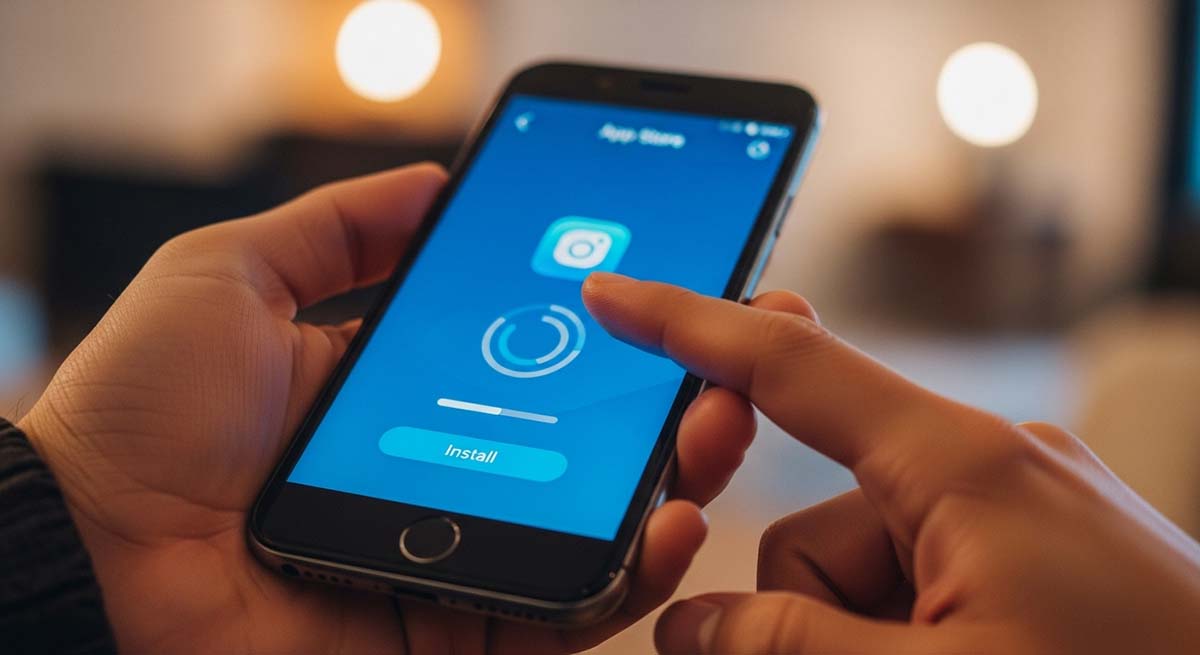
To monitor kids text messages secretly, you need 10-15 minutes of uninterrupted physical access to your child’s unlocked Android phone. Here’s my tested process using Hoverwatch.
Before You Start
Gather these things first:
- Your child’s unlocked Android phone
- WiFi connection (for faster initial sync)
- Email address for your Hoverwatch account
- 15 minutes of privacy
Best times for installation: when your child is sleeping, showering, or at a friend’s house without their phone.
Step-by-Step Installation
Step 1: Create your Hoverwatch account (2 minutes)
On your own computer or phone, go to Hoverwatch.com. Create your account and start the free trial. You’ll receive a download link and license key via email.
Step 2: Prepare the target phone (2 minutes)
On your child’s Android phone:
- Go to Settings > Security
- Enable “Unknown Sources” or “Install Unknown Apps”
- Disable Google Play Protect temporarily (Settings > Security > Google Play Protect > Turn off)
Step 3: Download and install (3 minutes)
Open the browser on your child’s phone. Enter the download URL from your Hoverwatch email. Download the APK file and tap to install. Grant all requested permissions — this is essential for monitoring to work.
Step 4: Configure and enable stealth mode (3 minutes)
Enter your license key when prompted. Choose “Hide Application” when asked about icon visibility. The app will disappear from the home screen and app drawer, entering full stealth mode.
Step 5: Clean your tracks (2 minutes)
This step is critical:
- Clear the browser history
- Delete the downloaded APK file from Downloads
- Re-enable Play Protect
- Close all apps and return the phone to how you found it
Step 6: Verify monitoring on your remote dashboard (2 minutes)
On your own device, log into your Hoverwatch remote dashboard. You should see the target phone appear within 5 minutes. Send a test text to verify SMS capture is working.
Troubleshooting Tips
Frequently Asked Questions
Frequently Asked Questions
It depends on the app. Hoverwatch offers a Family plan ($49.95/month) covering 5 devices from one dashboard. mSpy requires separate subscriptions per device unless you buy a family bundle. Always check the pricing page for multi-device options before purchasing.
Yes, as long as the phone has WiFi connectivity. The apps capture SMS and messaging app data locally and upload when connected to the internet. WiFi-only tablets and phones work fine for monitoring — you just won’t see traditional SMS since there’s no phone number.
No. All monitoring apps only capture messages from the moment of installation forward. They cannot recover historical data. If you need to see what was sent before installation, that data is not accessible through any legitimate monitoring solution.
Usually yes, but major Android updates occasionally require app reinstallation or permission re-granting. Hoverwatch and mSpy typically push updates within days of major Android releases. Check your dashboard after your child’s phone updates to verify monitoring is still active.
Some antivirus apps may flag monitoring software. Hoverwatch is designed to avoid detection by most consumer antivirus tools. However, aggressive security apps like Bitdefender or Kaspersky might detect it. If your child uses antivirus software, test during the free trial period to confirm compatibility.
Conclusion: Best Way to Monitor Kids Text Messages
For most parents, Hoverwatch offers the best combination of stealth mode, reliability, and price to monitor kids text messages on Android. The 3-day free trial removes the financial risk of testing.
Start your free Hoverwatch trial here — no payment required for the first 3 days.